Welcome to the April, 2026 release of features. We hope you like the latest updates in this version, the highlights are as follows:
New Features:
- Quickly Switch Active Register
- Improved Visibility Control for Outsourced Transactions
- Save “Select’n Action” as Presets
- New Role Permissions for Better Control
Improvements
Quickly Switch Active Register
You can now easily change your active register directly from the context menu by clicking on the store name at the top right. This provides a faster and more convenient way to switch between registers without navigating through multiple settings — ideal for busy, multi-register envir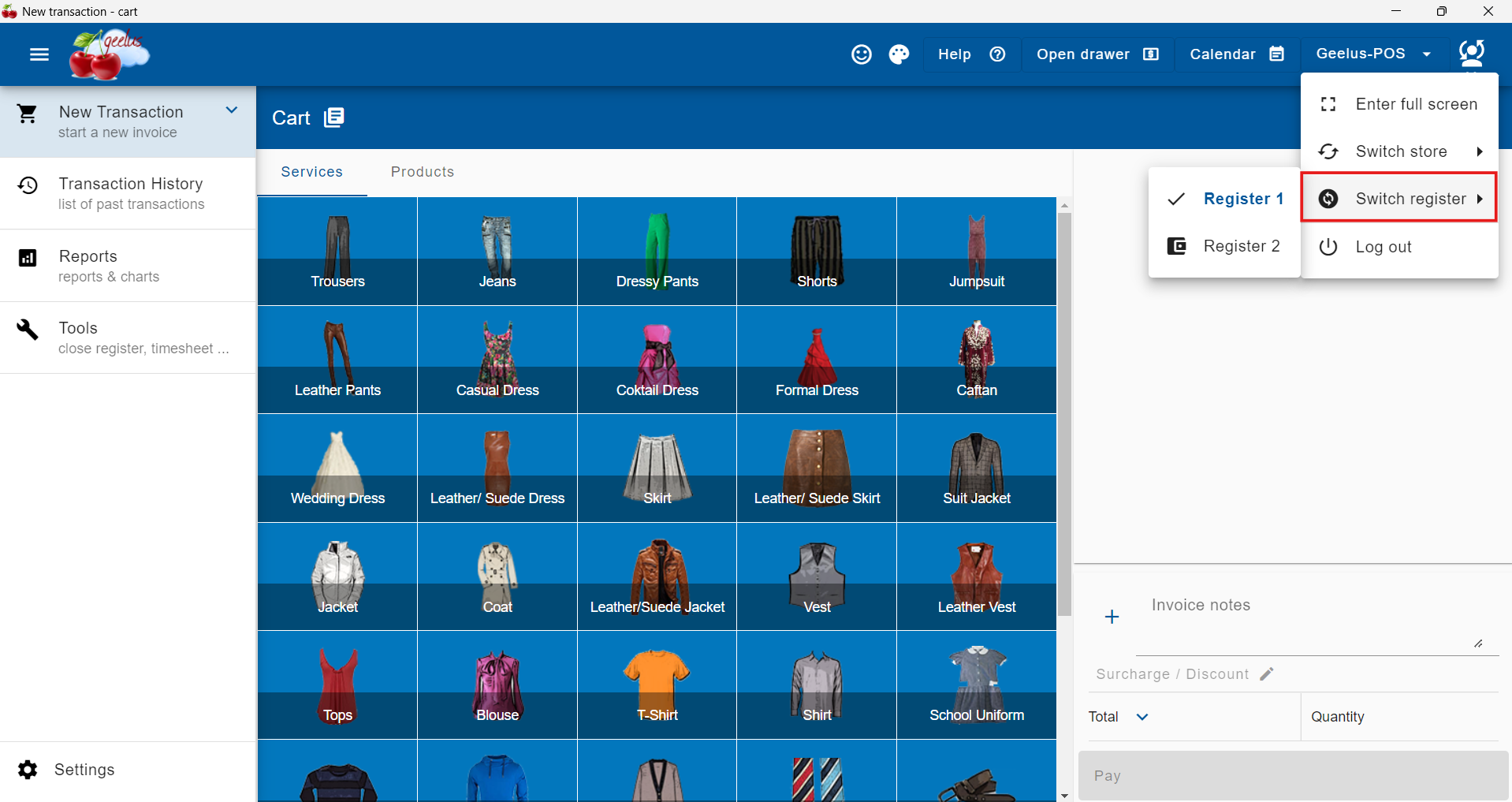 onments.
Improved Visibility Control for Outsourced Transactions
A new role setting, “Can view transactions outsourced to all stores (multi-store),” has been introduced to better manage access to outsourced transactions. This allows you to control which users can view transactions handled by other stores under Transaction History → Outsourced, giving you greater control in multi-store operations.
Save “Select’n Action” as Presets
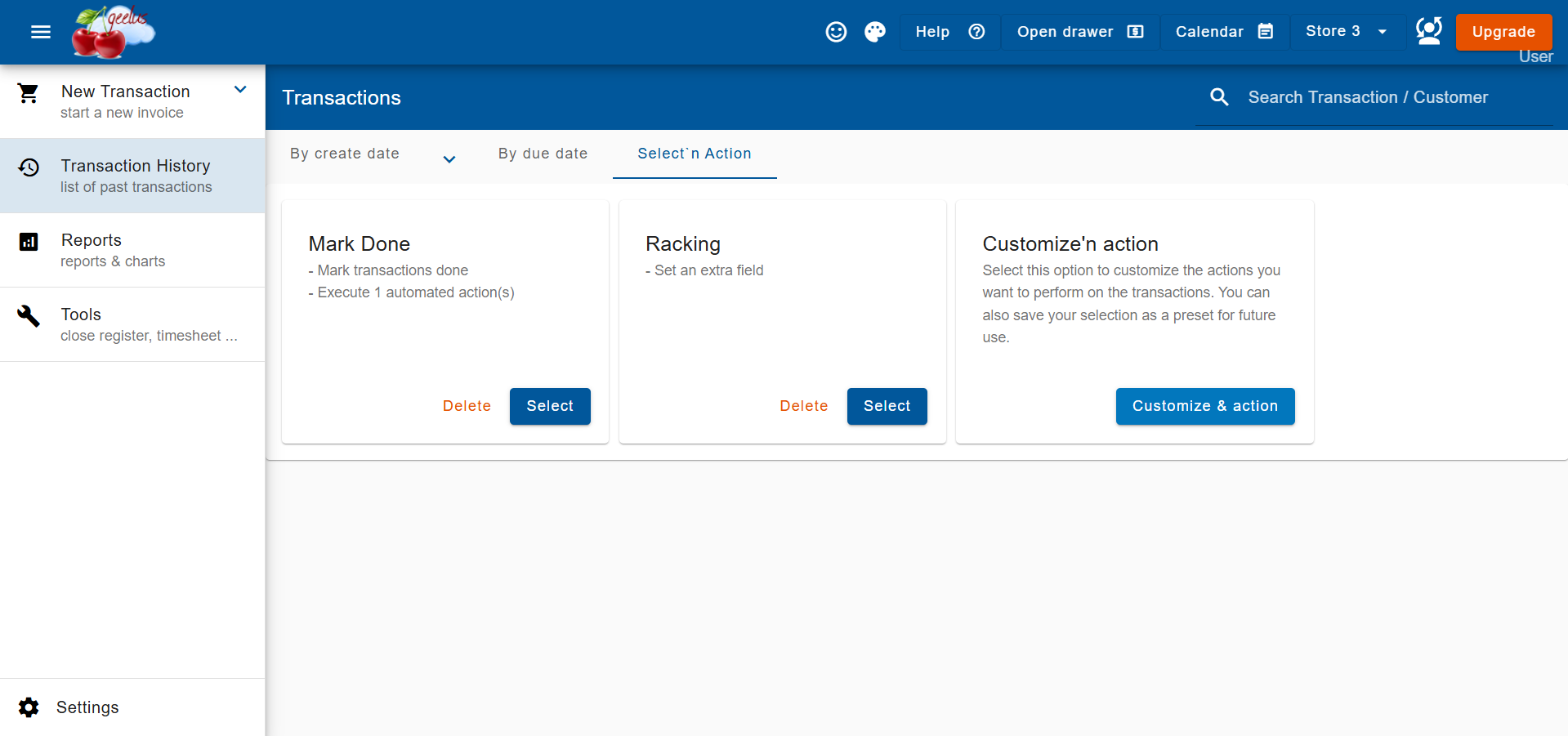
Using Select’n Action is now faster and more efficient with the ability to save your preferred configurations as presets. This allows employees to quickly select a preset and begin scanning transactions right away, reducing repetitive setup and streamlining daily workflows.
How to Create a Preset:
- Go to Transaction History → Select’n Action
- Configure the options based on the action you want to perform
- Click the Save settings as preset button
- Enter a name for your preset and checkmark to save
Once saved, your preset will be available the next time you open the Select’n Action window, making it easy to reuse your preferred settings.
New Role Permissions for Better Control
We’ve added several new role-based permissions to give you tighter control over user actions. These permissions help protect data integrity and ensure employees only perform actions relevant to their responsibilities:
- Can create contact – When disabled, users will not be able to create new contacts (customers) of any type.
- Can edit contact – When disabled, users will not be able to modify or update existing customer information.
- Can create Select’n Action presets – Controls whether users can create new Select’n Action presets, allowing you to limit this capability to specific roles.
- Can delete Select’n Action – Prevents users from deleting or managing Select’n Action presets, ensuring only authorized users can control these workflows.
- Can void transaction after marking done – When disabled, users will not be able to void a transaction once it has been marked as fully completed, helping prevent accidental or unauthorized reversals.
These controls provide greater flexibility in managing permissions while maintaining consistency and accountability across your team.
Improved Payment Date and Time Handling
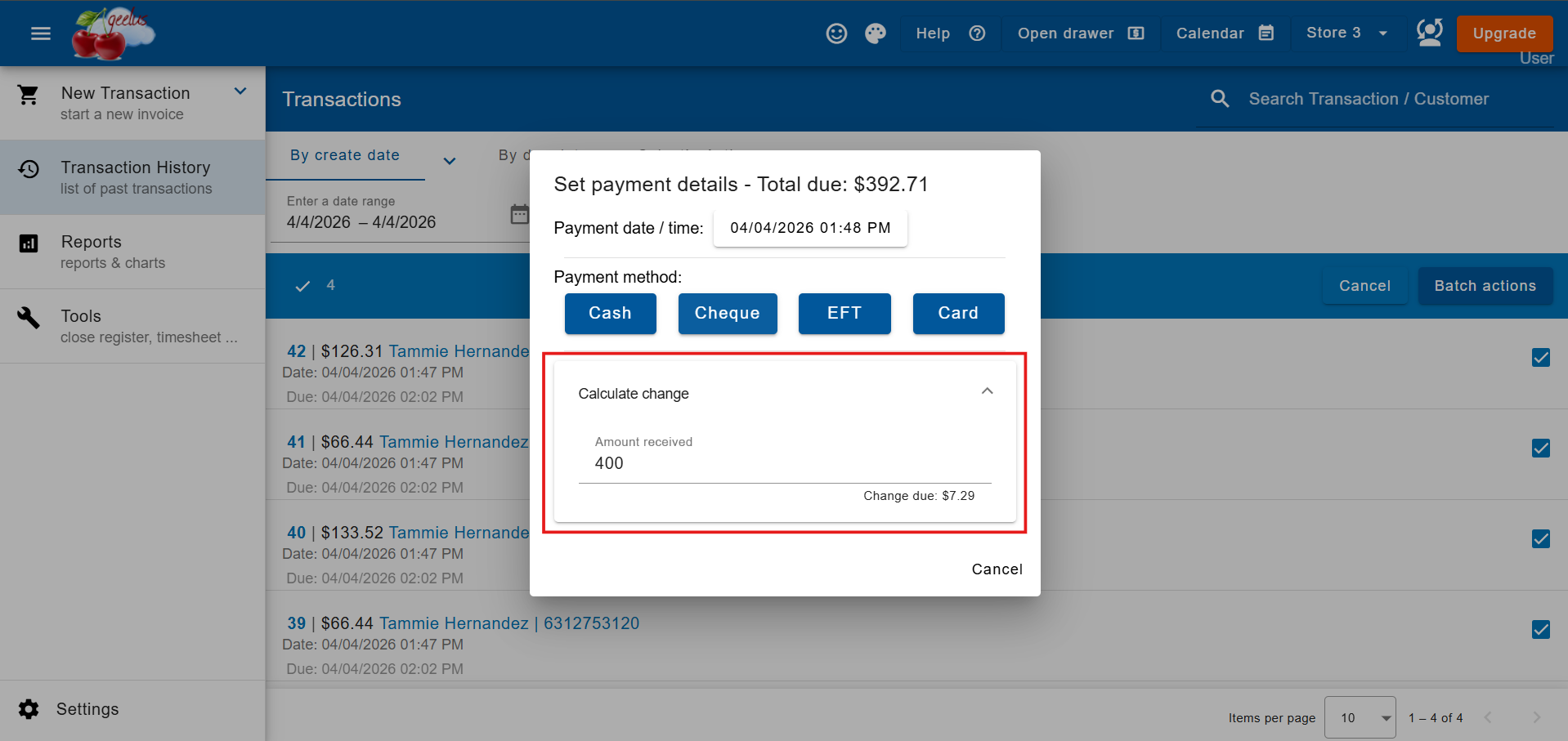
When processing bulk invoices, marking transactions as paid through batch actions, or using Select’n Action, you can now specify the exact payment date and time. This enhancement improves reporting accuracy and ensures consistency across all payment workflows.
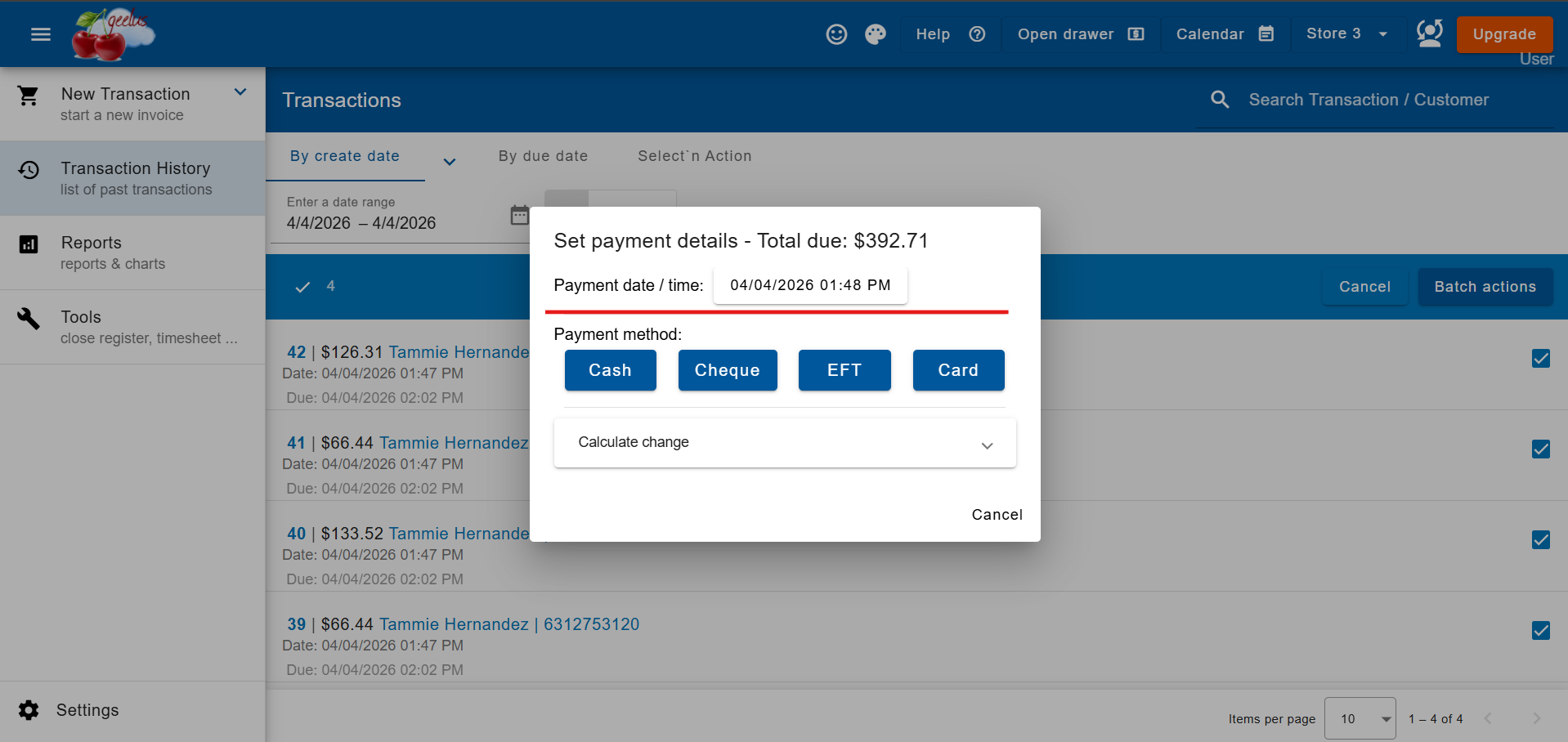
Enhanced Change Calculation Box for Payments
We’ve also improved the change calculation box used during payments for bulk invoices, batch payments, and Select’n Action. This update provides a smoother and more intuitive payment experience, making it easier for staff to process transactions quickly and accurately.