Welcome to the November 2026 release of features. We hope you like the latest updates in this version. The highlights are as follows:
New Features:
- A New, Easier Way to Process Refunds
- Discount Codes and More Control Over Discounts
- SMS Marketing Is Here
- Automatic Employee Shift Notifications
- More Powerful Customer List Filters
- Custom Fields on Self-Serve Kiosk Check-In
- New Checkbox Extra Field Type
- New Multi-Store Surcharges & Discounts Report
- New Tag for Total Surcharges & Discounts
- Remove Item Attributes During Import
A New, Easier Way to Process Refunds
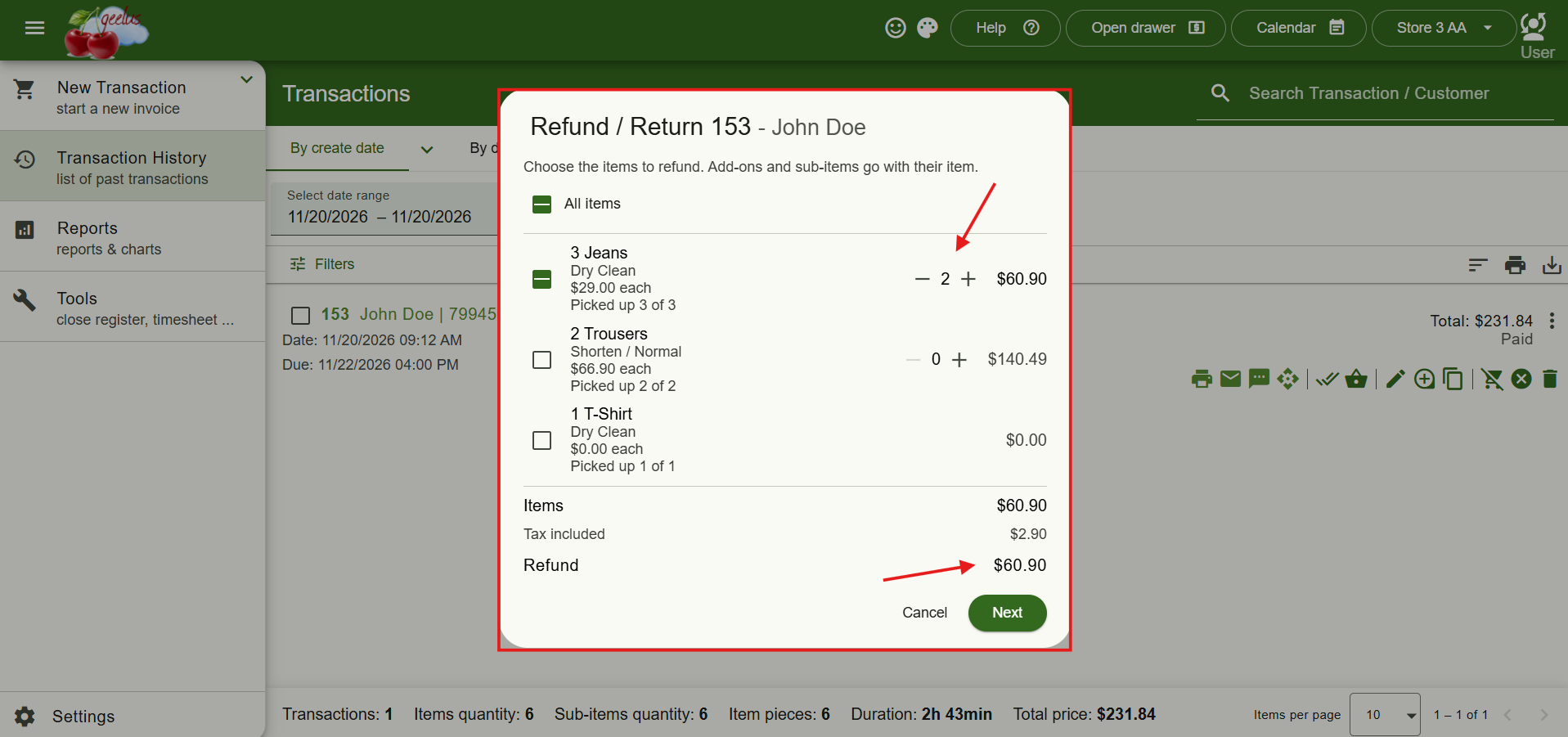
Processing refunds and returns is now simpler than ever. Clicking Refund / Return opens a dedicated window where you can select the items being returned, adjust their quantities, and see the refund total immediately — without going back to the cart.
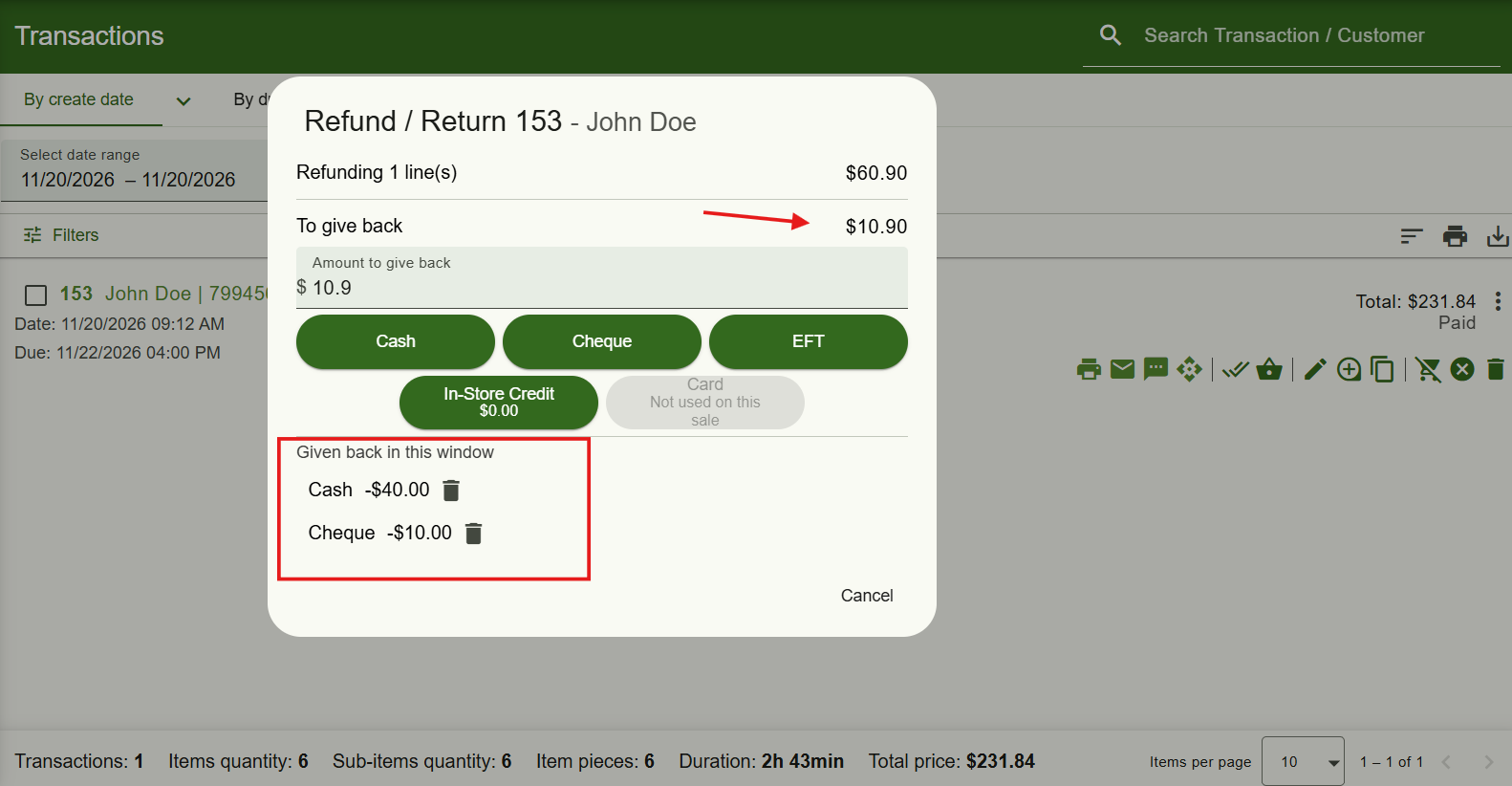
You can now also split refunds across multiple payment methods. For example, refund part of the amount to the customer’s card and return the rest in cash or in-store credit. For card payments, Geelus shows how much is still available to refund, making it easier to manage partial refunds.
Payments processed through Stripe can now be refunded directly to the customer’s original card. If Stripe takes longer to confirm a refund, simply click Check again to check its status without processing another refund.
Your automated actions and refund receipt options are also available at the end of the process, keeping everything in one place.
Discount Codes and More Control Over Discounts
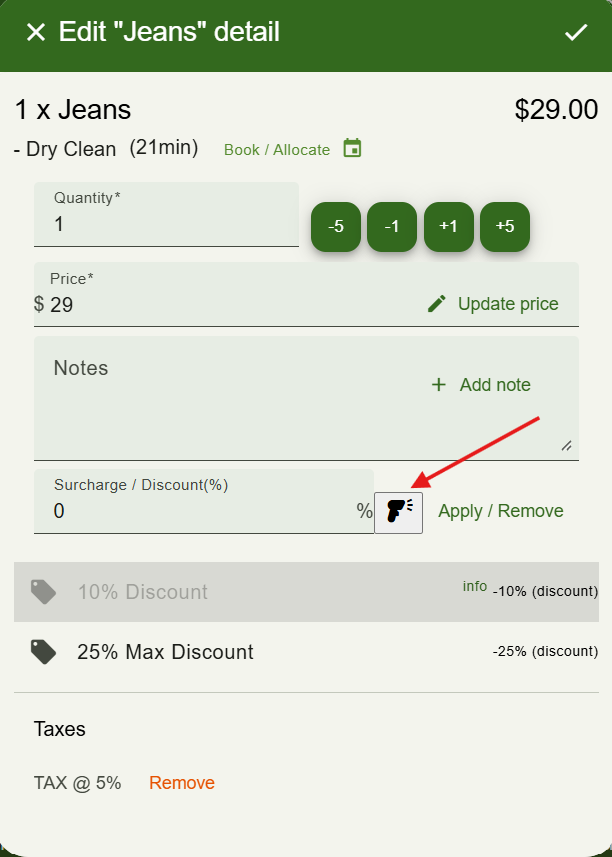
Applying discounts is now faster and more flexible. You can assign a code to any discount under Settings → Surcharge / Discount, then simply type or scan the code at the till using the new scanner button.
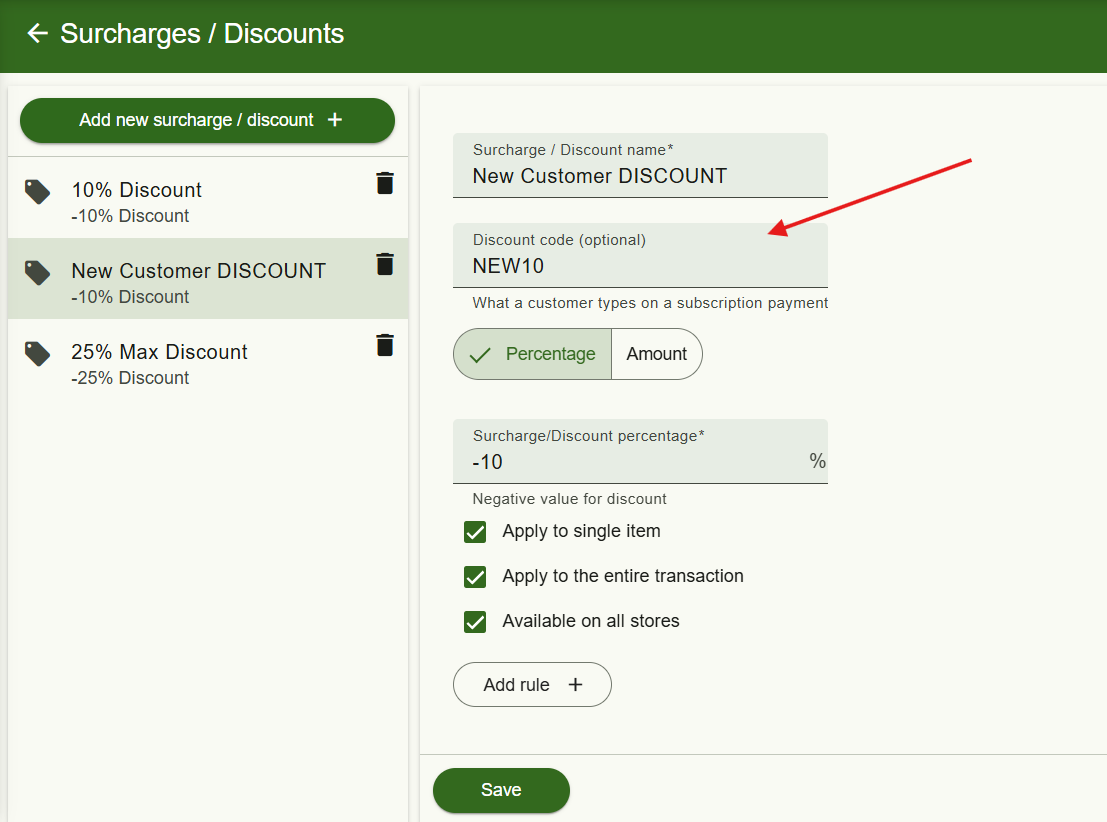
Codes can be entered on individual items or through the Surcharge / Discount window, making it easier to apply promotions without manually searching for the correct discount.
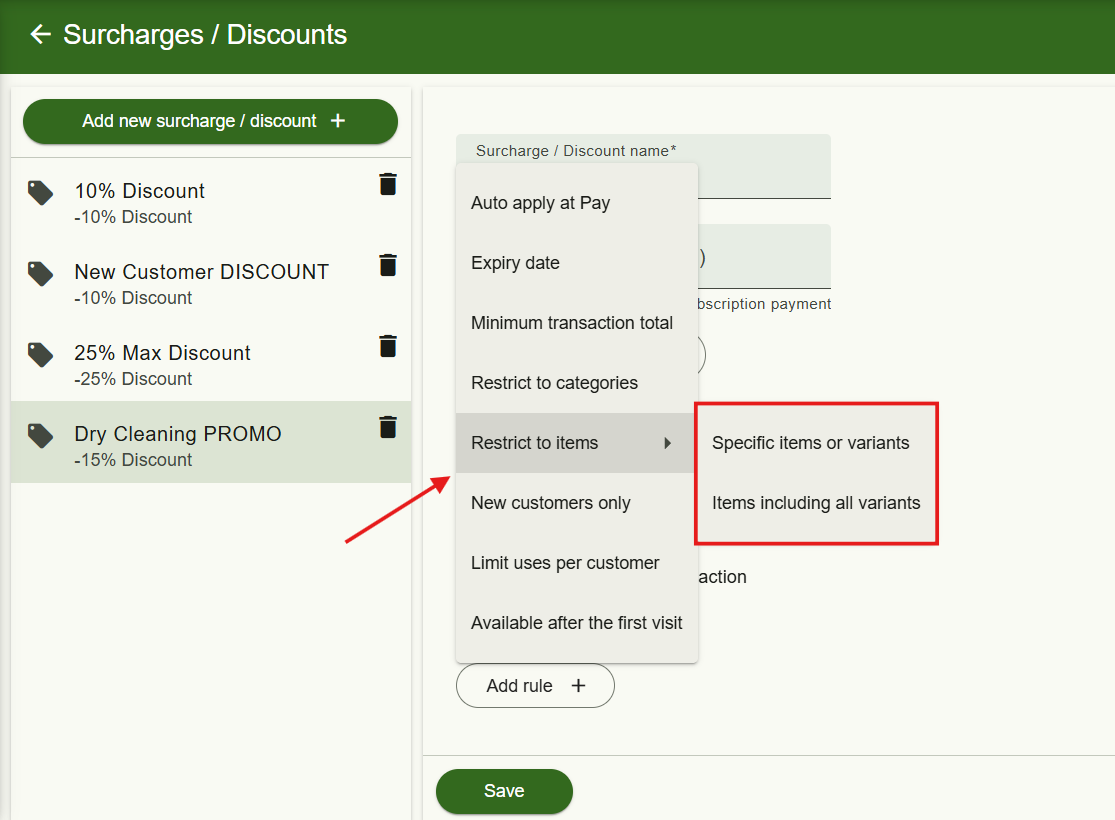
You can also use the new Restrict to items rule to limit a discount to specific products, services or variants. For example, offer a promotion on selected dry-cleaning services without applying it to alterations or other items.
SMS Marketing Is Here
You can now create and send SMS marketing campaigns directly from Geelus, making it easier to reach customers with promotions, special offers and announcements.
Available to stores in Australia, the United Kingdom and Ireland, the new feature can be found under Tools → SMS marketing.
To get started, go to Reports → Customers → List, filter the customers you want to reach, and save them as an SMS list. You can then create your campaign and personalise messages using tags such as .
Before sending, Geelus shows exactly which customers will receive your message, who will be skipped and why, and how many SMS credits the campaign will require.
Campaigns can be sent immediately or scheduled up to three months in advance. You can also reschedule a campaign or send it earlier if needed. Messages are sent between 9 AM and 8 PM, with a maximum of one campaign message per customer per day. If you cancel a campaign, credits for messages that haven't been sent are automatically returned.
Customers can manage their SMS marketing preferences through the customer app or self-serve kiosk, where the consent option can be enabled in kiosk settings. You can also update their preferences from the customer form or for multiple customers at once. Every marketing message automatically includes a short opt-out link.
A new role permission, Can send SMS marketing campaigns, lets you control which employees can send campaigns. This permission is enabled for all roles by default and can be adjusted under Settings → Roles.
Automatic Employee Shift Notifications
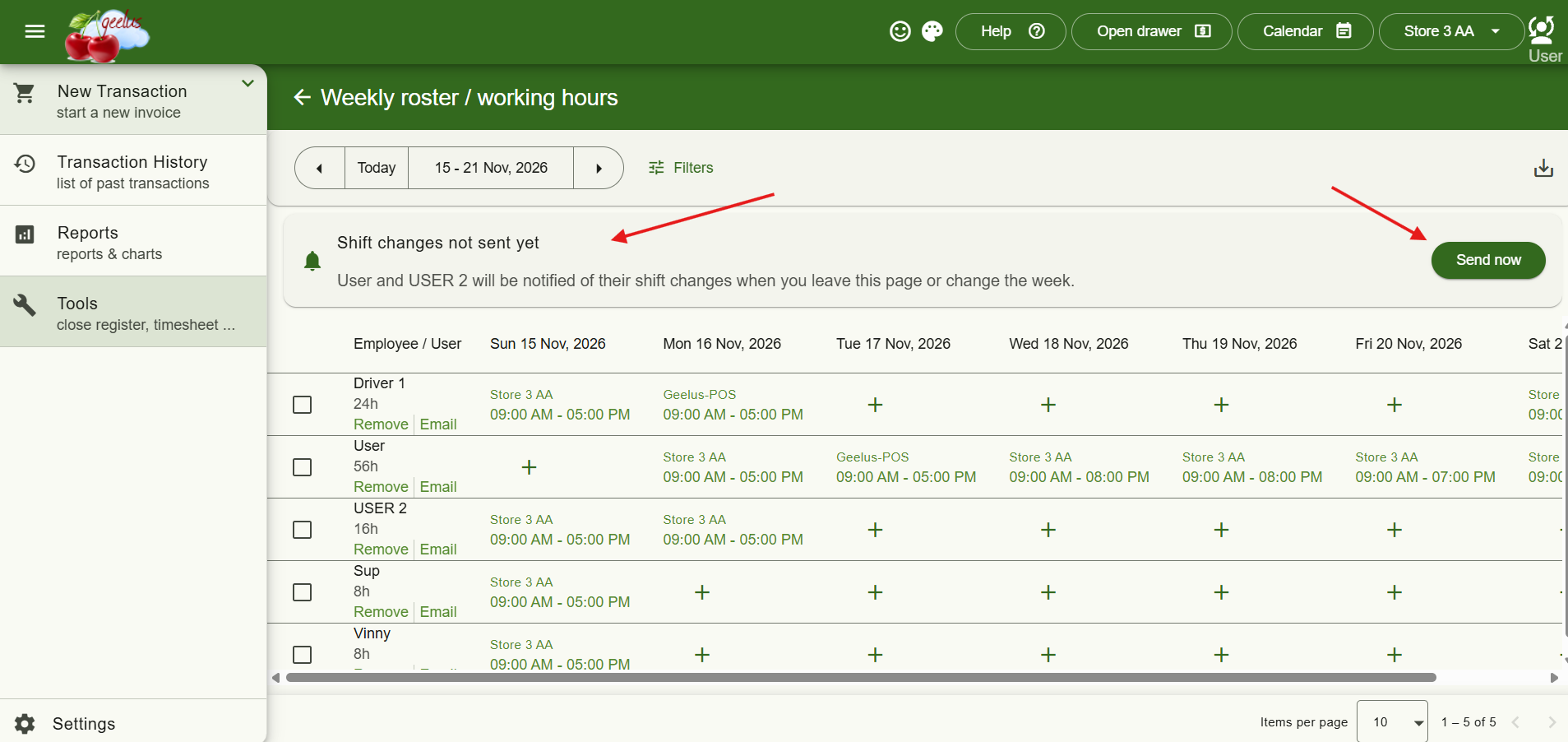
Keeping employees informed about their schedules is now easier. Geelus can automatically notify employees by email or text message whenever their shifts are added, changed, removed or moved to another store.
To enable this, create an action under Settings → Actions using the trigger Employee shifts changed (Weekly roster), select an Employee Schedule / Roster template, and add the action to your registers.
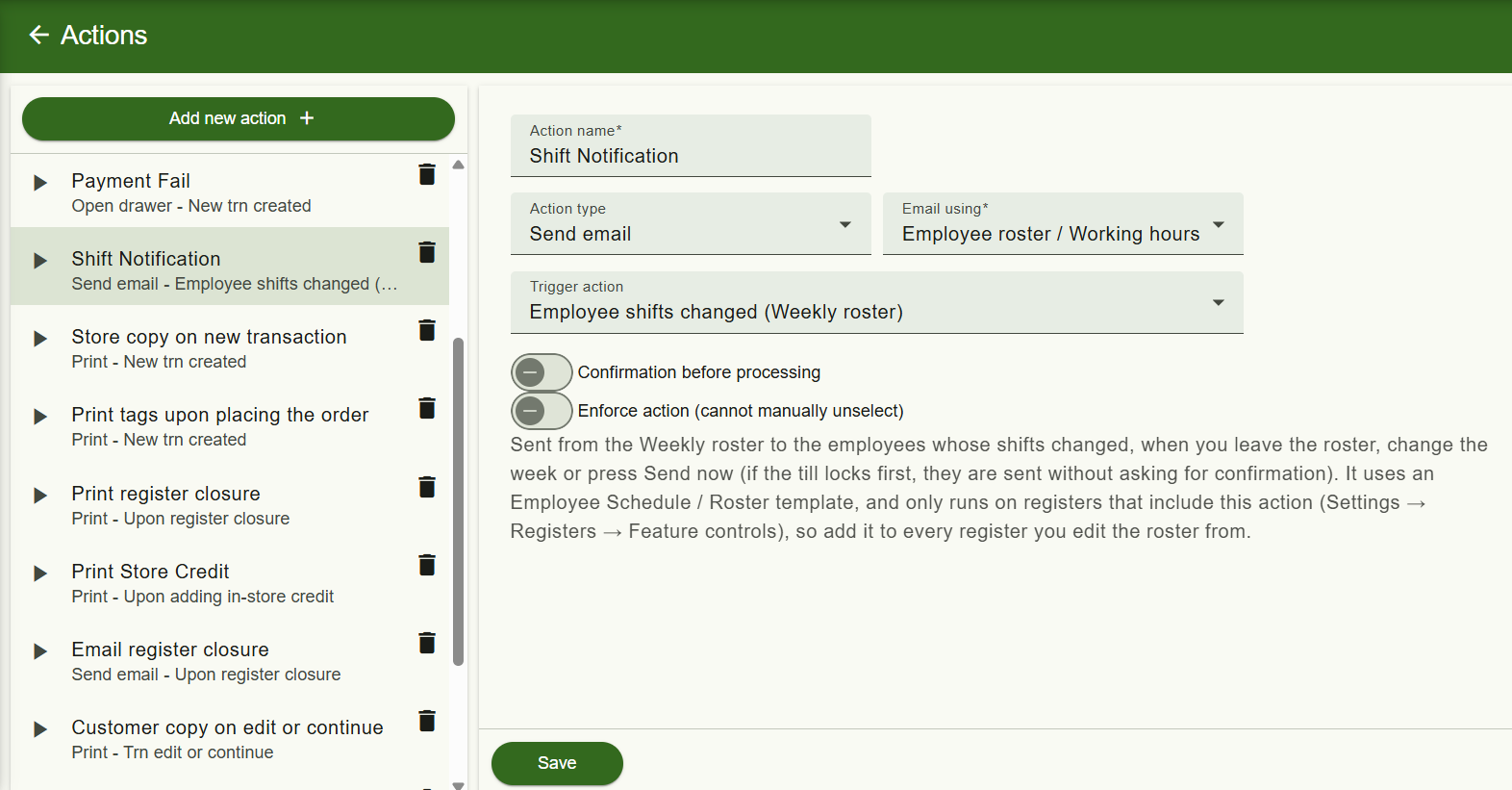
The roster now also displays a banner showing which employees will be notified. Notifications are sent when you click Send now, change the week or leave the roster.
A new template tag includes only the days that have changed, showing both the previous and updated shift details so employees can quickly see what's different.
More Powerful Customer List Filters
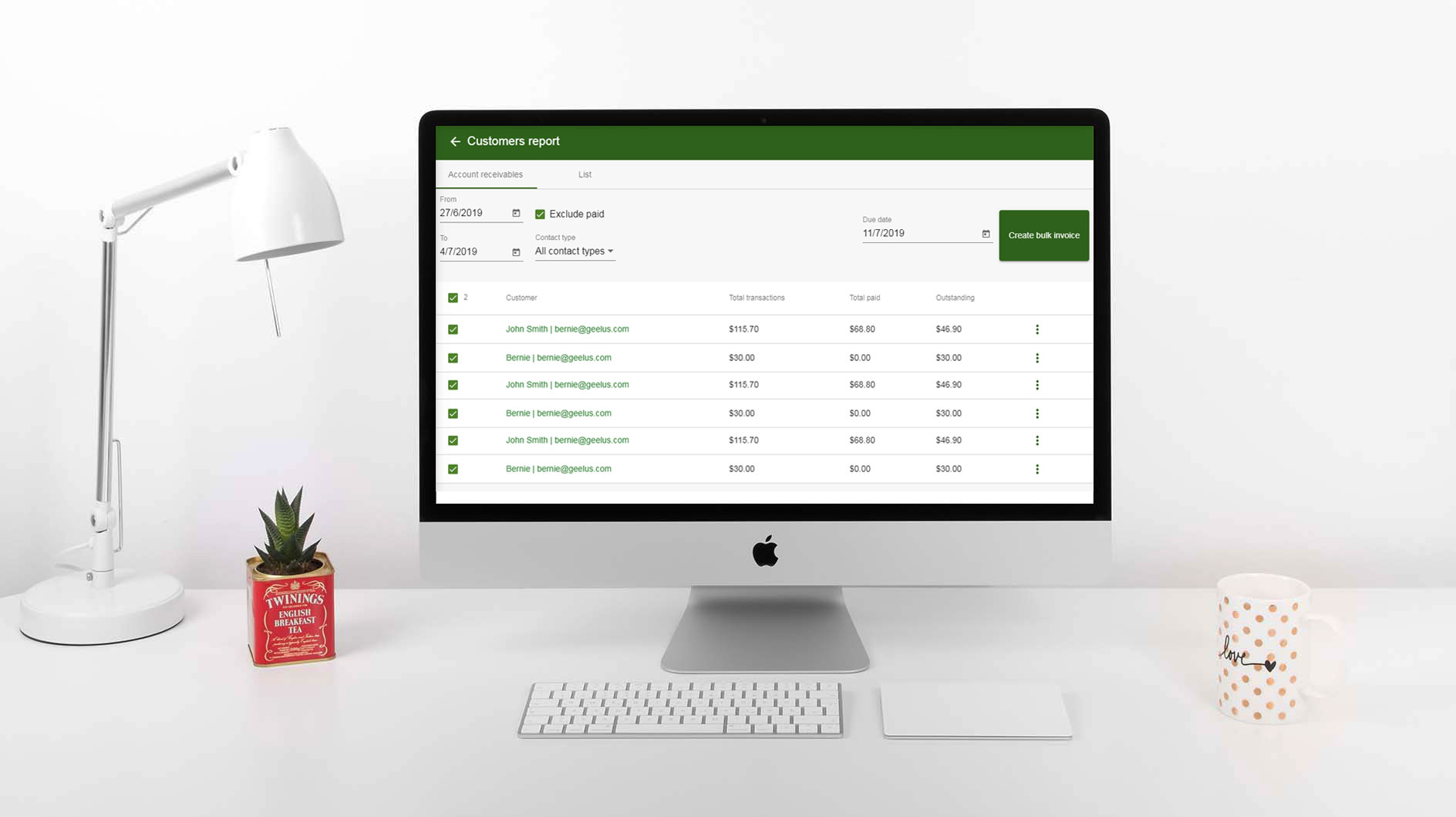
Finding specific customers is now easier with new filtering options under Reports → Customers → List.
You can now filter customers by spending, outstanding balances, loyalty points, in-store credit, last transaction date, customer groups, deleted customers and more.
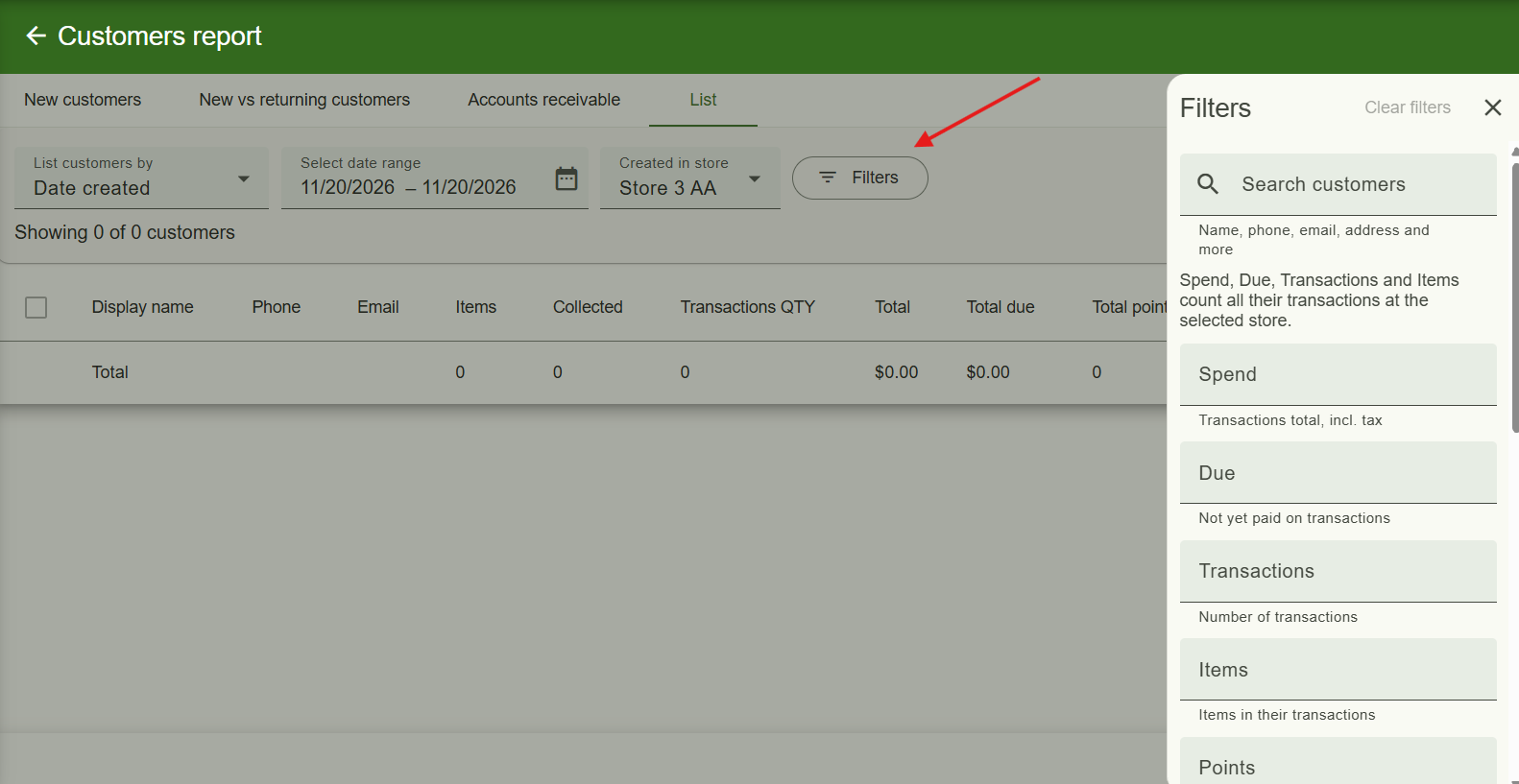
For example, quickly find customers who haven’t visited recently, identify those with outstanding balances, or create a list of customers based on their spending history.
The report totals and exports automatically reflect your selected filters, making it easier to get exactly the information you need.
Custom Fields on Self-Serve Kiosk Check-In
Your self-serve kiosk can now collect more information from customers during check-in.
You can add your existing customer and transaction extra fields to the check-in form, each with its own label and optional required setting.
This allows customers to provide additional details, such as service preferences or special instructions, directly from the kiosk without requiring staff assistance.
New Checkbox Extra Field Type
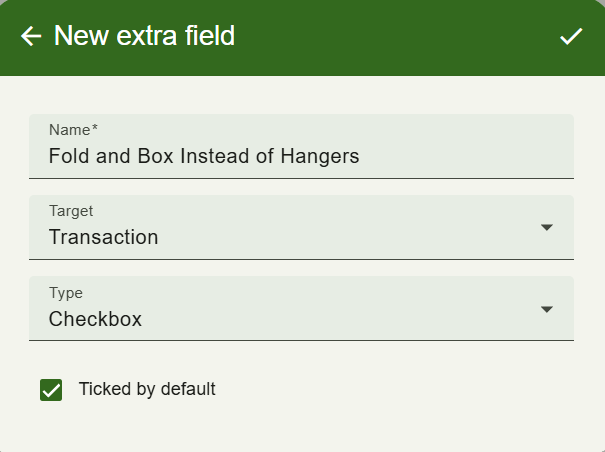
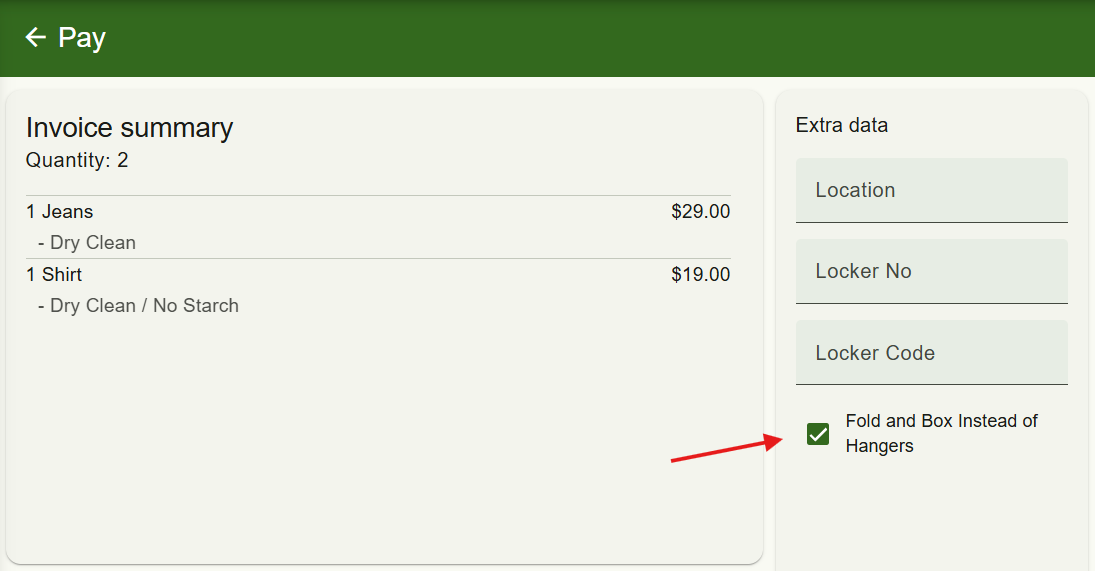
A new Checkbox extra field type lets you collect information from customers or transactions.
You can also choose whether the checkbox should be Ticked by default, making it useful for recording preferences, confirmations or other details that only require a single selection.
Checkbox extra fields are also supported when importing customers.
New Multi-Store Surcharges & Discounts Report
A new Surcharges / discounts report is available under Multi-Store reports, allowing you to review surcharges and discounts across all your stores in one place.
The report can also be exported to CSV or Excel, making it easier to analyse promotions and discounts across multiple locations.
New Tag for Total Surcharges & Discounts
A new template tag lets you display the combined amount of all surcharges and discounts applied to a transaction.
You can use this tag in your print, email and text message templates to show the total surcharge and discount amount.
Remove Item Attributes During Import
Updating existing items through imports is now more flexible. The new Remove from items option lets you remove an attribute from existing items when importing your products or services.
This makes it easier to clean up and maintain your item data without having to edit each item individually.