Welcome to the August, 2026 release of features. We hope you like the latest updates in this version, the highlights are as follows:
New Features:
- All-New Guided Import for Customers, Products & Services
- Control the Import Order for Variants and Attributes
- Built-In Validation Before Import Runs
- Multi-Store Item Imports
Improvements
All-New Guided Import for Customers, Products & Services
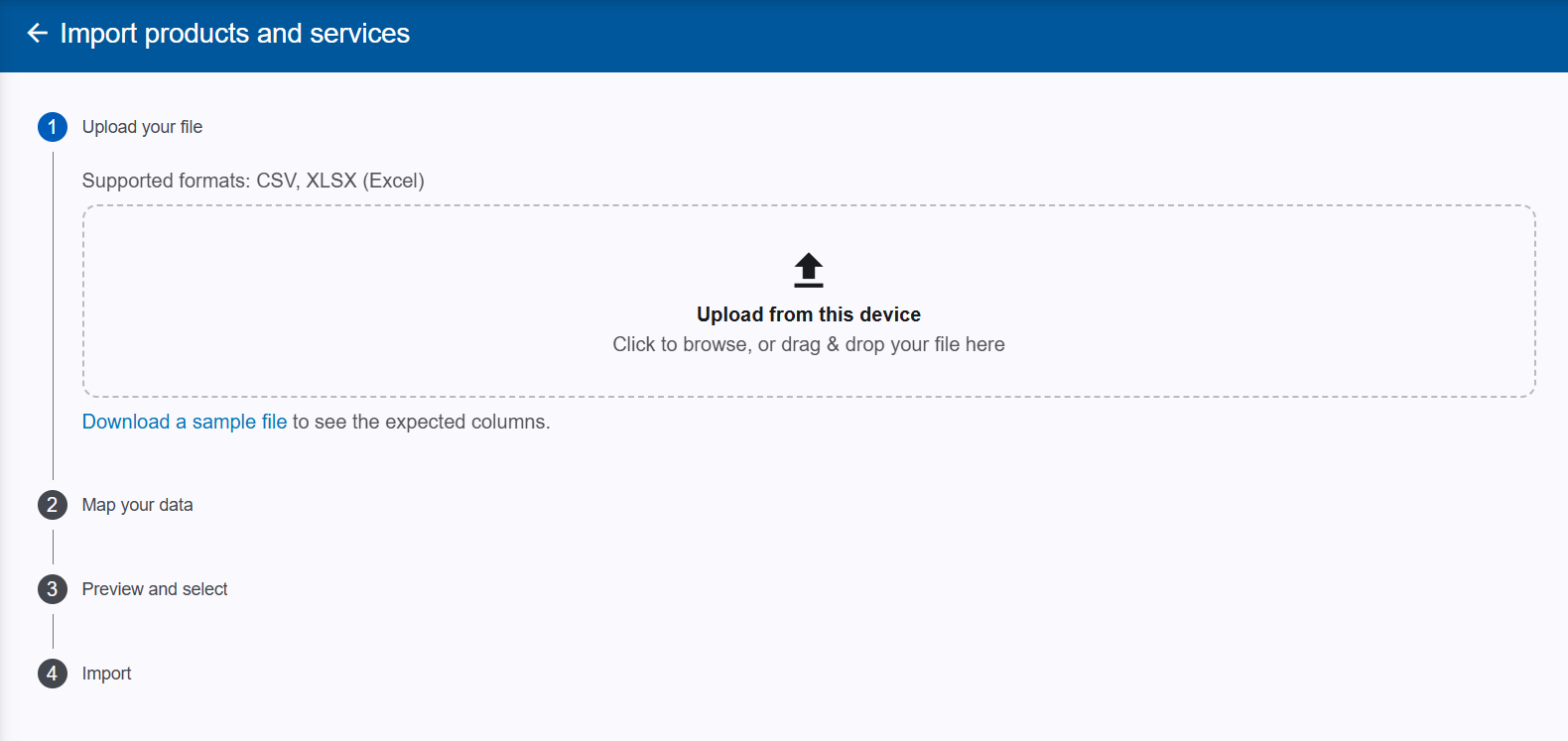
Importing your data into Geelus is now a completely guided experience. Simply drag and drop a CSV or Excel file, and the new wizard walks you through the rest — your file’s columns are automatically matched to the right Geelus fields, with the option to adjust any match yourself. Before anything is imported, a full preview shows exactly what will be added, including warnings for likely duplicates, and any other error.
Control the Import Order for Variants and Attributes
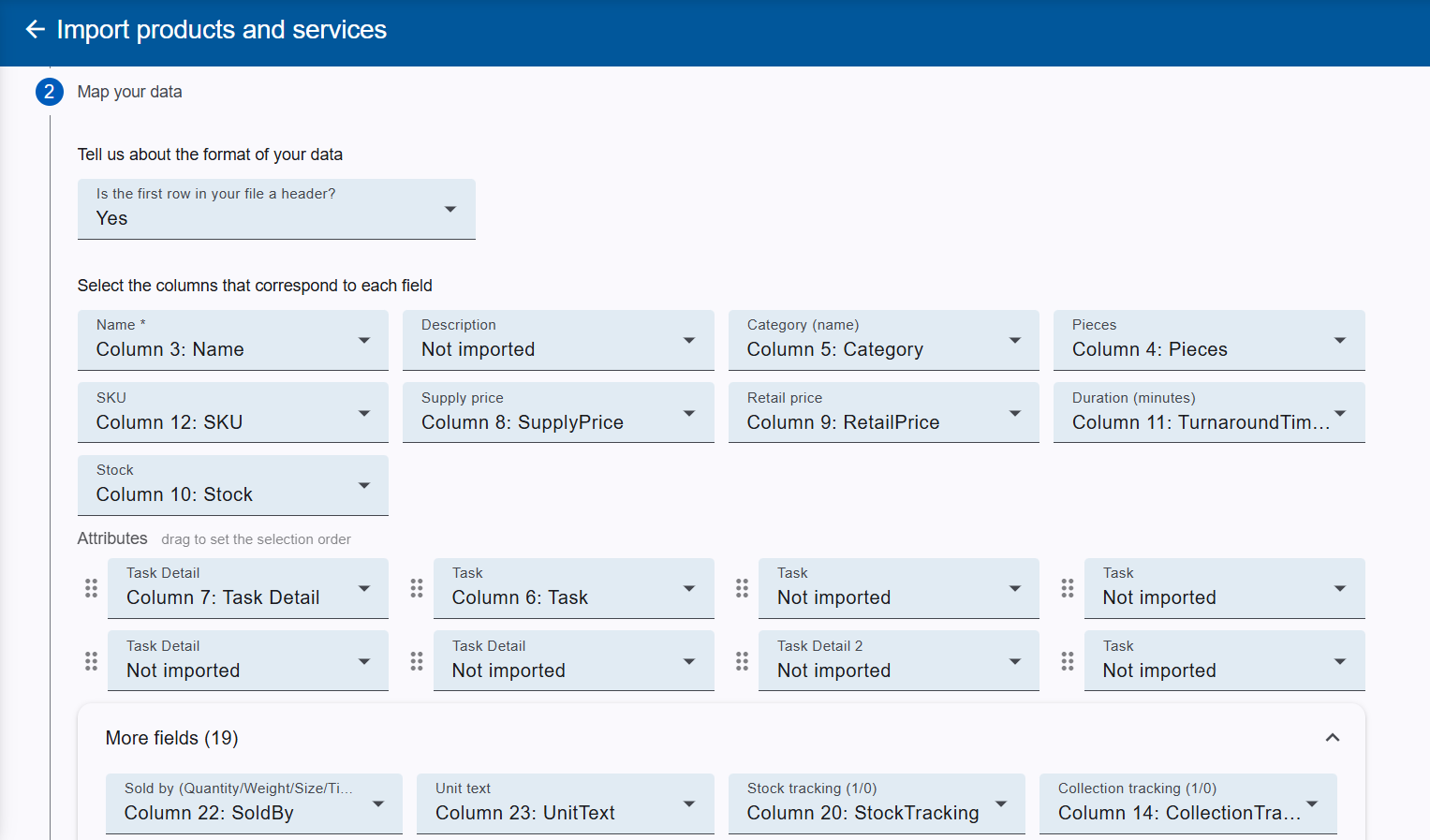
You now have full control over the order columns appear in after an import. Variants are imported in the same order their rows appear in your file, so if you export your items, rearrange the rows, and re-import, your variants will reorder to match. Attributes (like Task and Task Detail) can also be dragged into the order you want your staff to see them in at the register — no longer tied to the order they were originally created in.
Built-In Validation Before Import Runs
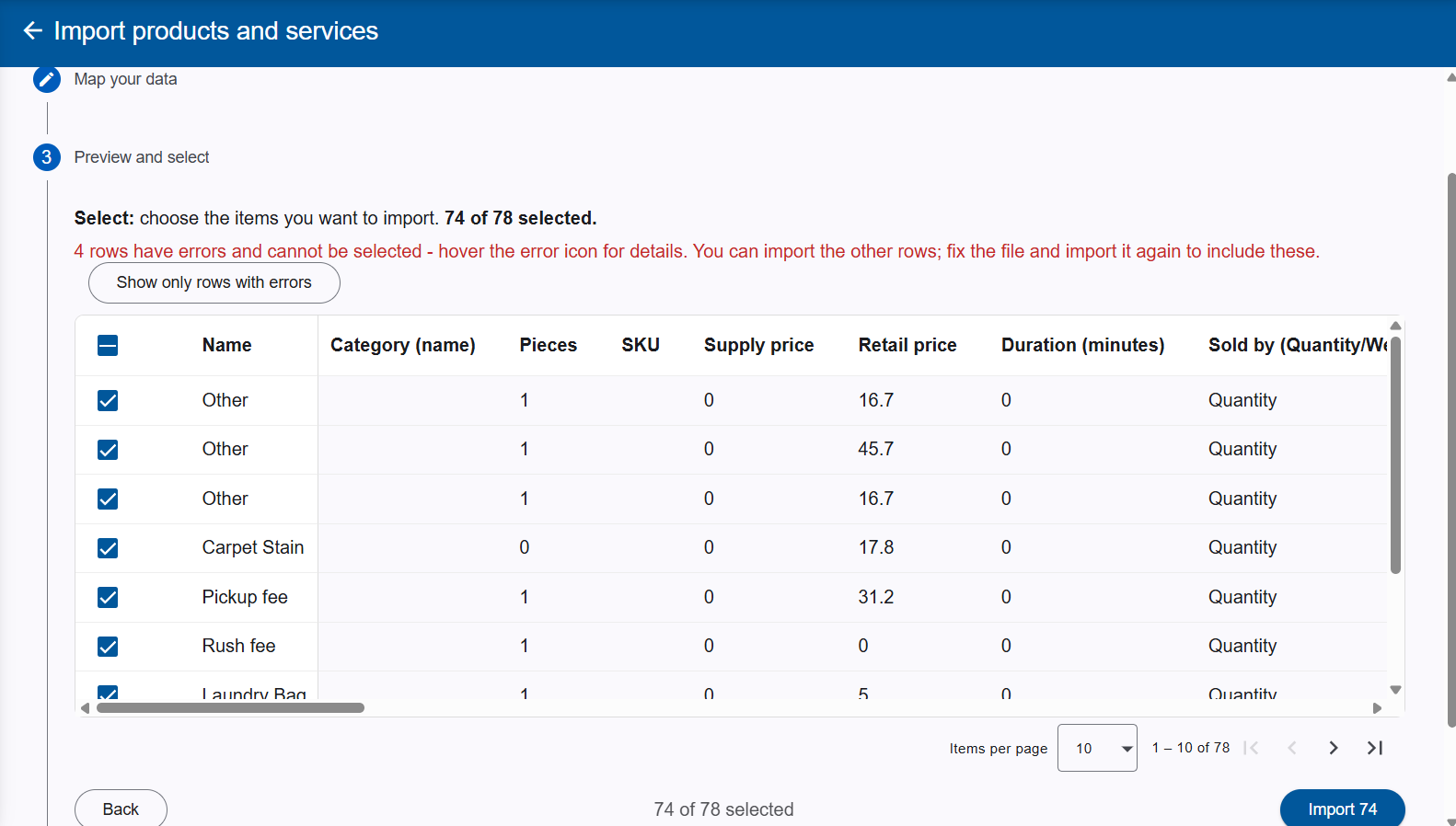
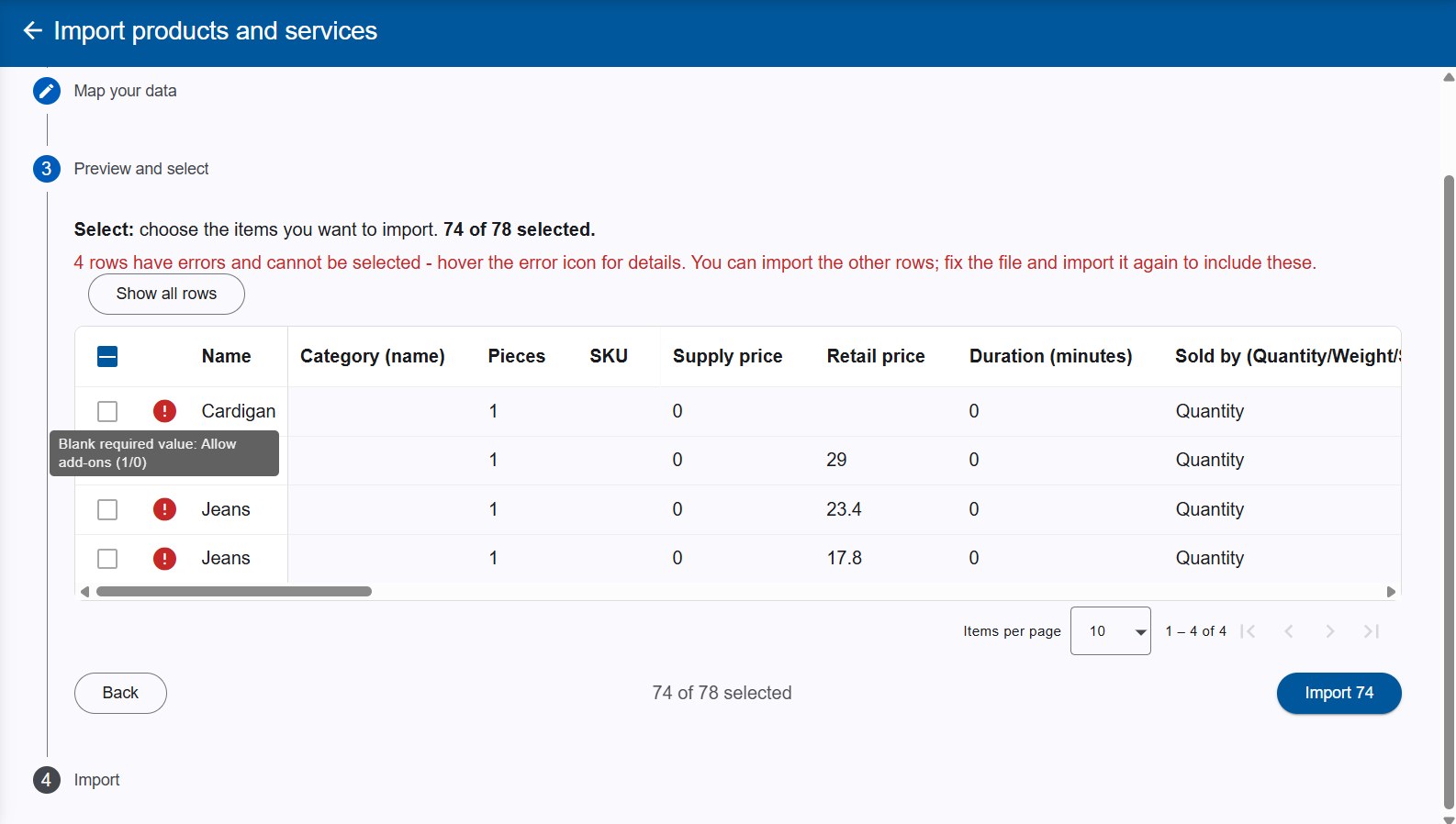
Bad data can no longer make it into your items list. The items import now checks your file before anything is imported — rows with blank or invalid values in number and tracking columns (pieces, prices, duration, stock tracking) are flagged with a clear explanation of what’s wrong. You can filter the preview to show only the problem rows, and the import stays blocked until every issue is resolved.
Multi-Store Item Imports
Managing items across multiple stores is now much simpler. Export your items from one store and import the file into another store within your company — the items will be linked to the new store using the file’s prices, instead of creating duplicate entries.
Smarter Variant Matching on Import
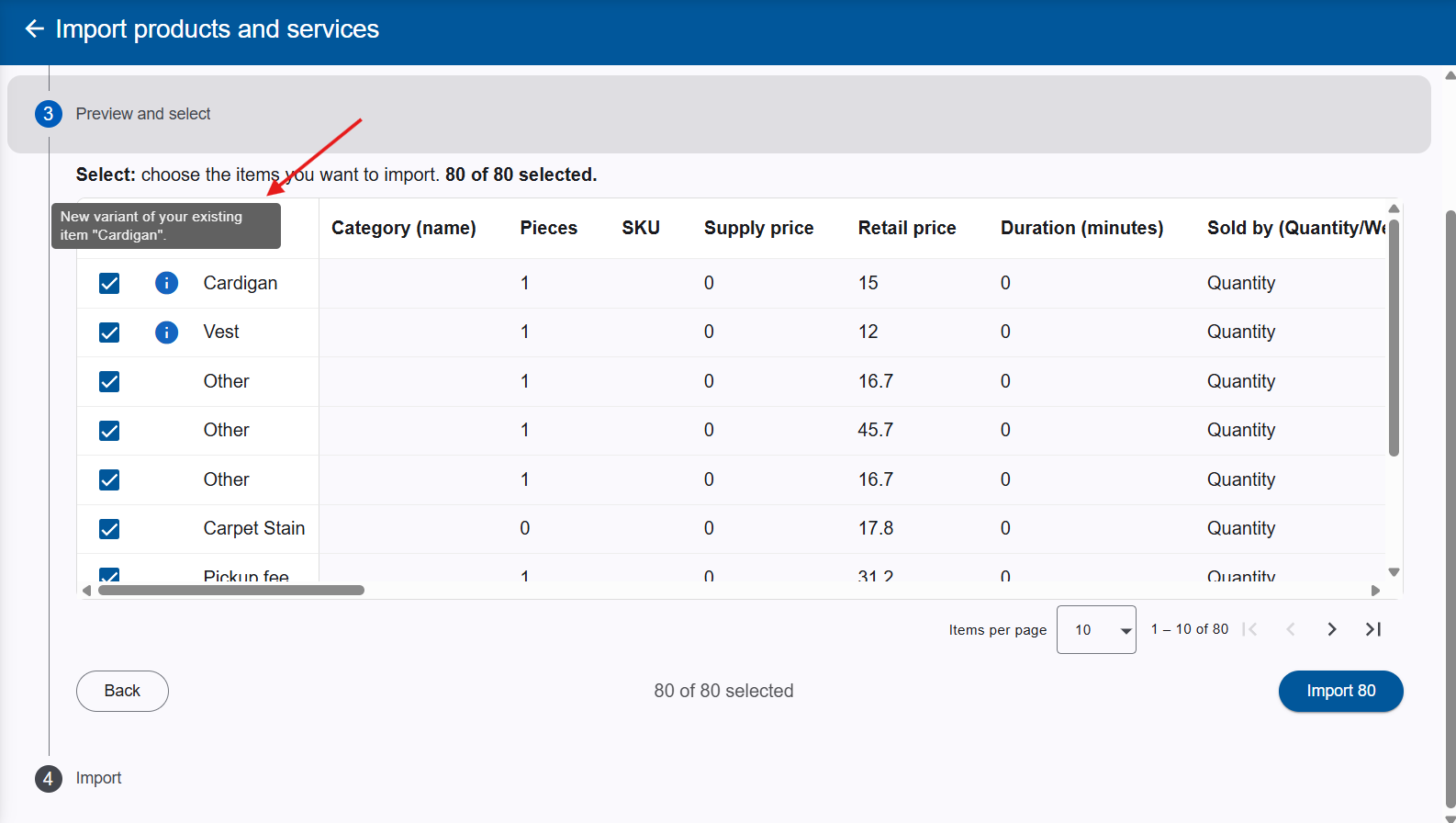
When importing rows that match the name of an item you already have, they’re now added as new variants of that existing item — flagged with an info note in the preview — rather than creating a duplicate item. You’ll only see a warning if an identical variant already exists, keeping your catalogue clean without extra manual cleanup.
Customer Import Now Understands Your Date Format
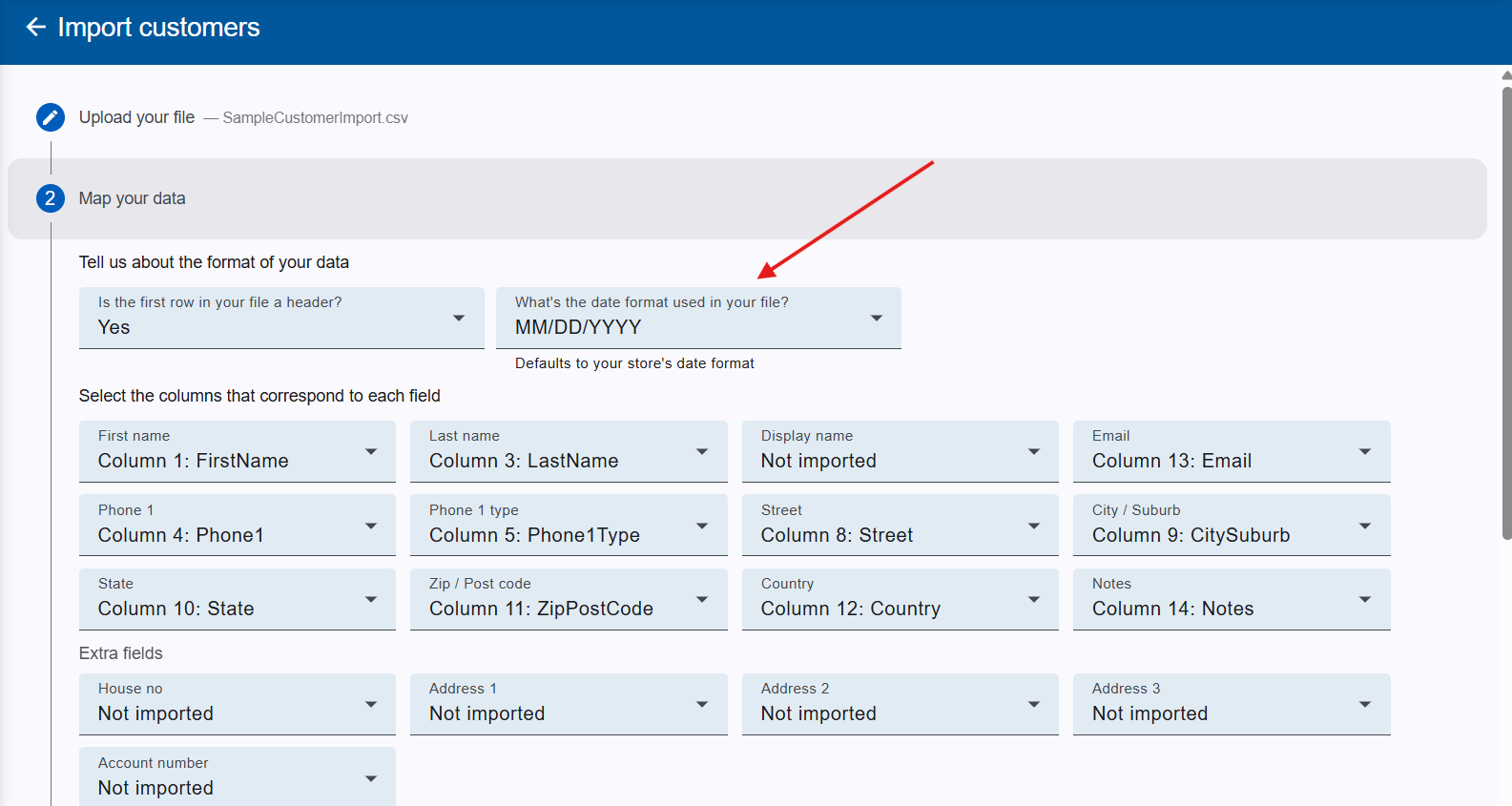
The customer import now lets you choose the date format used in your file, defaulting to your store’s own format. This means customer lists exported from other systems will import with dates read correctly, no matter how they’re formatted. Files using the previous exact date-time format will continue to import without any changes needed.
Pay Multiple Transactions with Saved Cards
Paying several selected transactions for the same customer at once is now more flexible. In addition to manual card entry via Geelus Pay and Stripe, you can now pay using the customer’s saved cards — making bulk payments faster for repeat customers.