Welcome to the September, 2026 release of features. We hope you like the latest updates in this version, the highlights are as follows:
New Features:
- Pay a Transaction Without Leaving the List
- “Mark All Collected” Uses the Same Window
- Payments Listed Before You Finish
- New Role Permission: “Can Mark Transaction Paid”
- Refund on Void for Card Payments
- Loyalty Points & In-Store Credit History Tabs
- Reasons Now Recorded for Credit & Balance Changes
- New Tags for Credit and Points Reasons
Improvements
Pay a Transaction Without Leaving the List
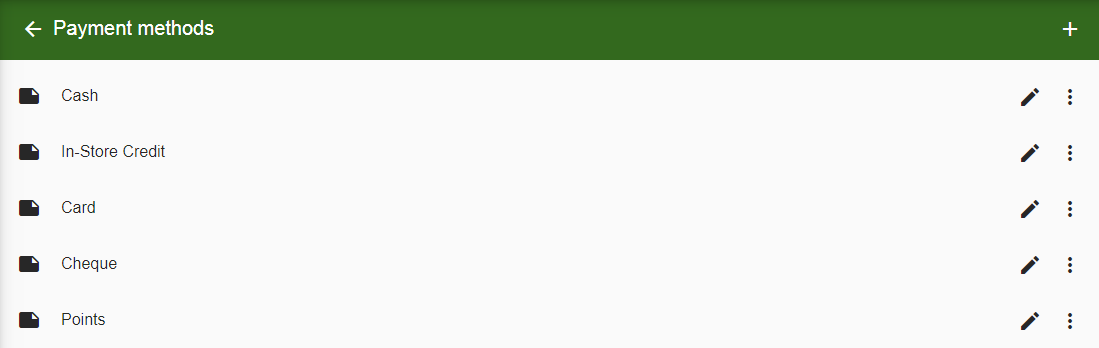
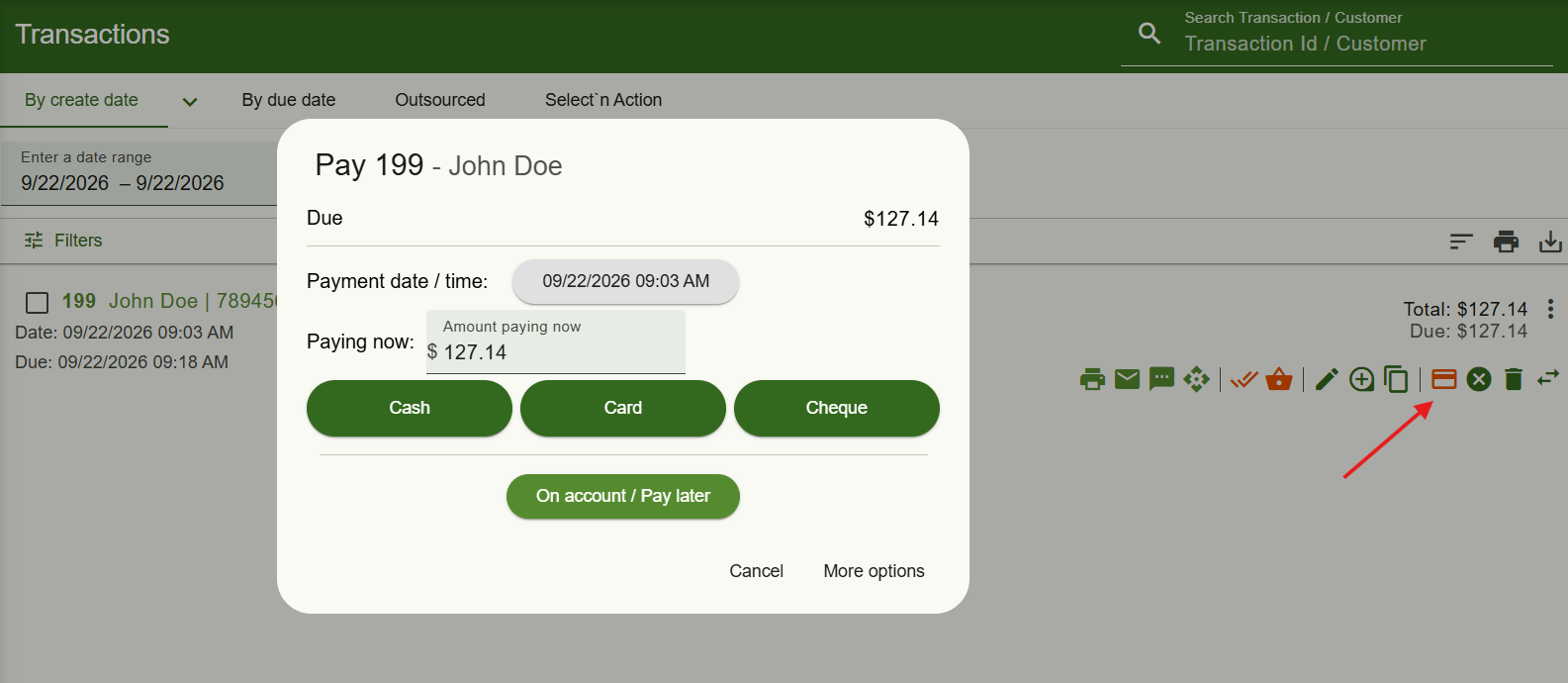
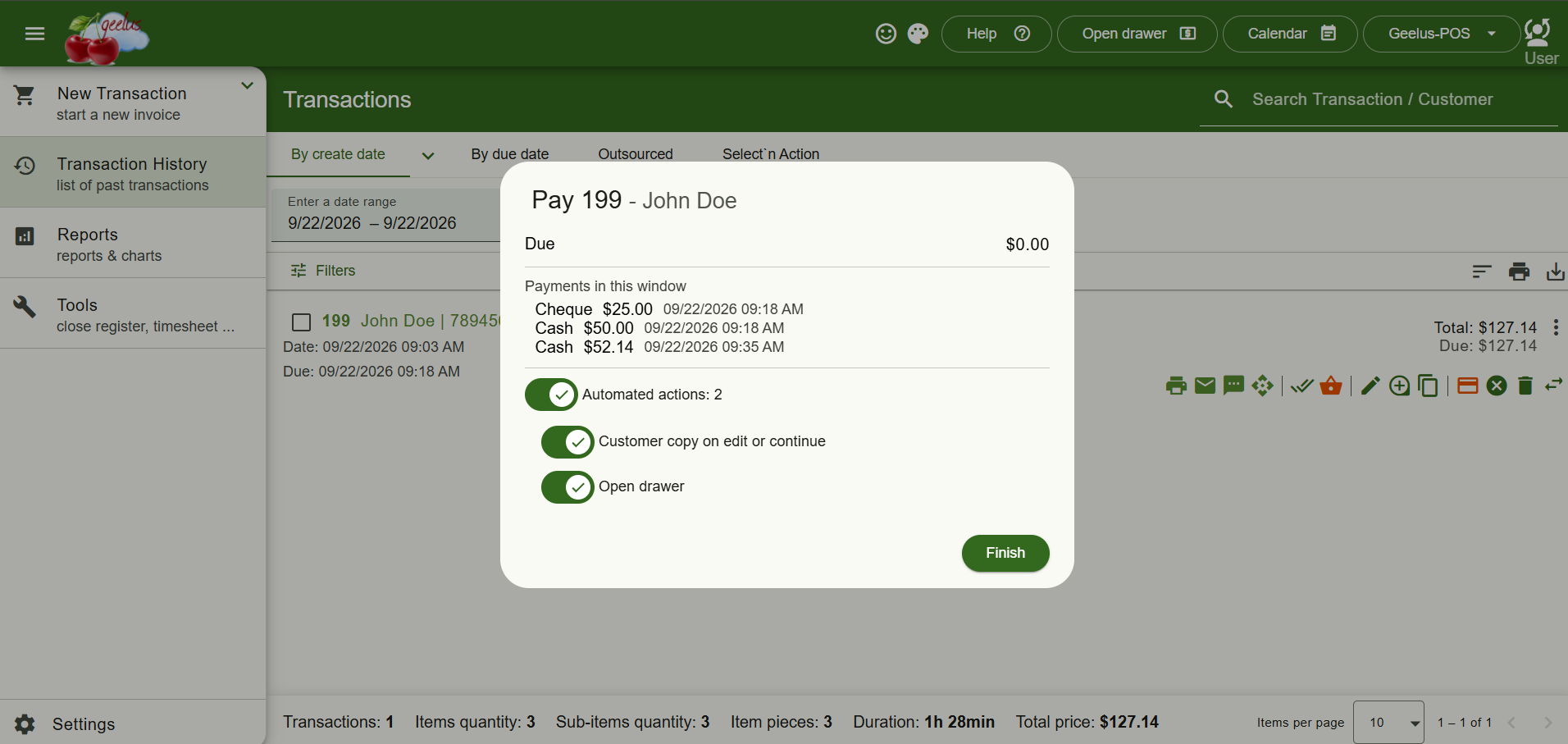
Taking a payment is now faster than ever. Clicking “Pay” on a transaction opens a payment window right where you are — pick the payment method and the transaction is paid. Take a partial amount and put the rest on account, or click “More options” to open the full payment page for anything else, like laybys, refunds or editing the order.
“Mark All Collected” Uses the Same Window
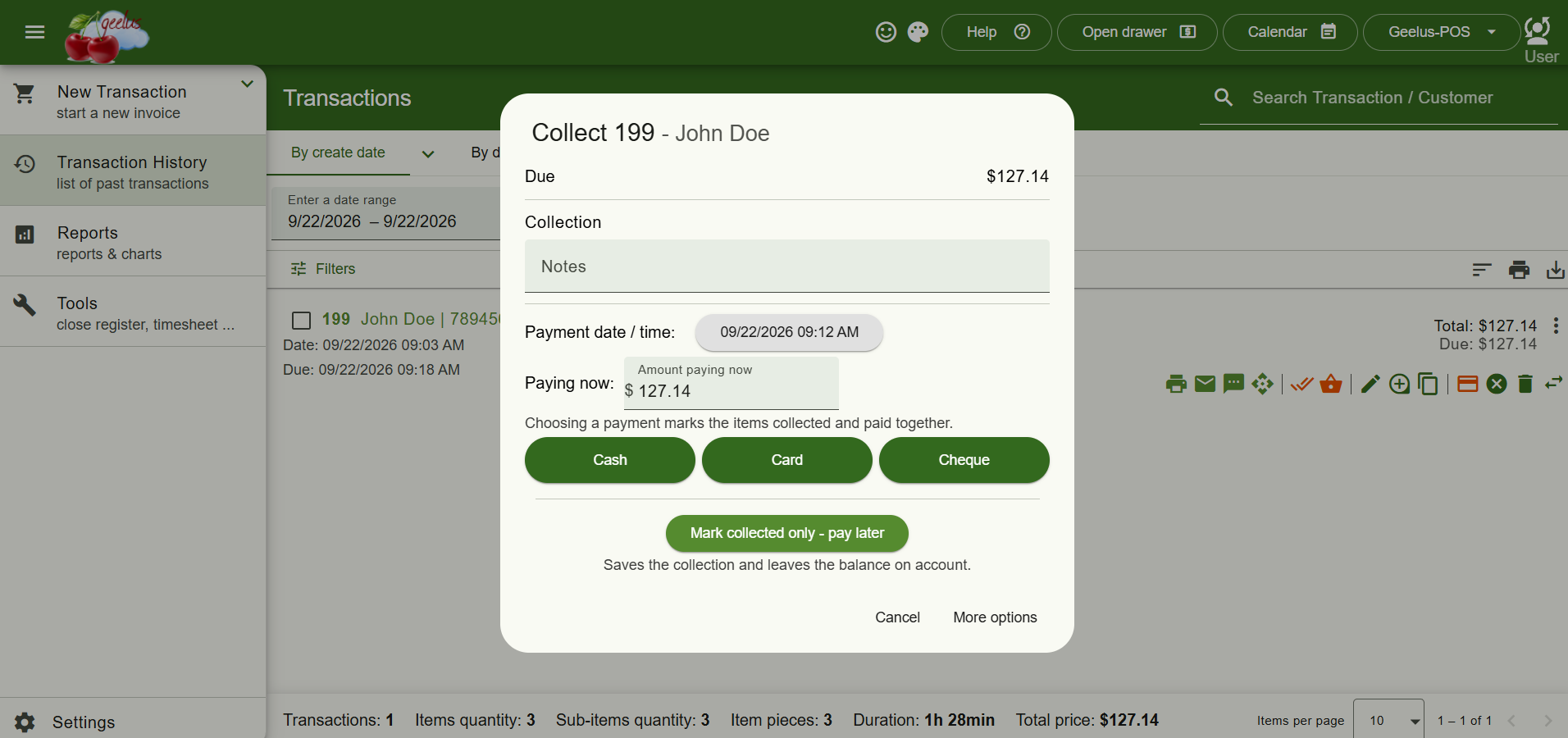
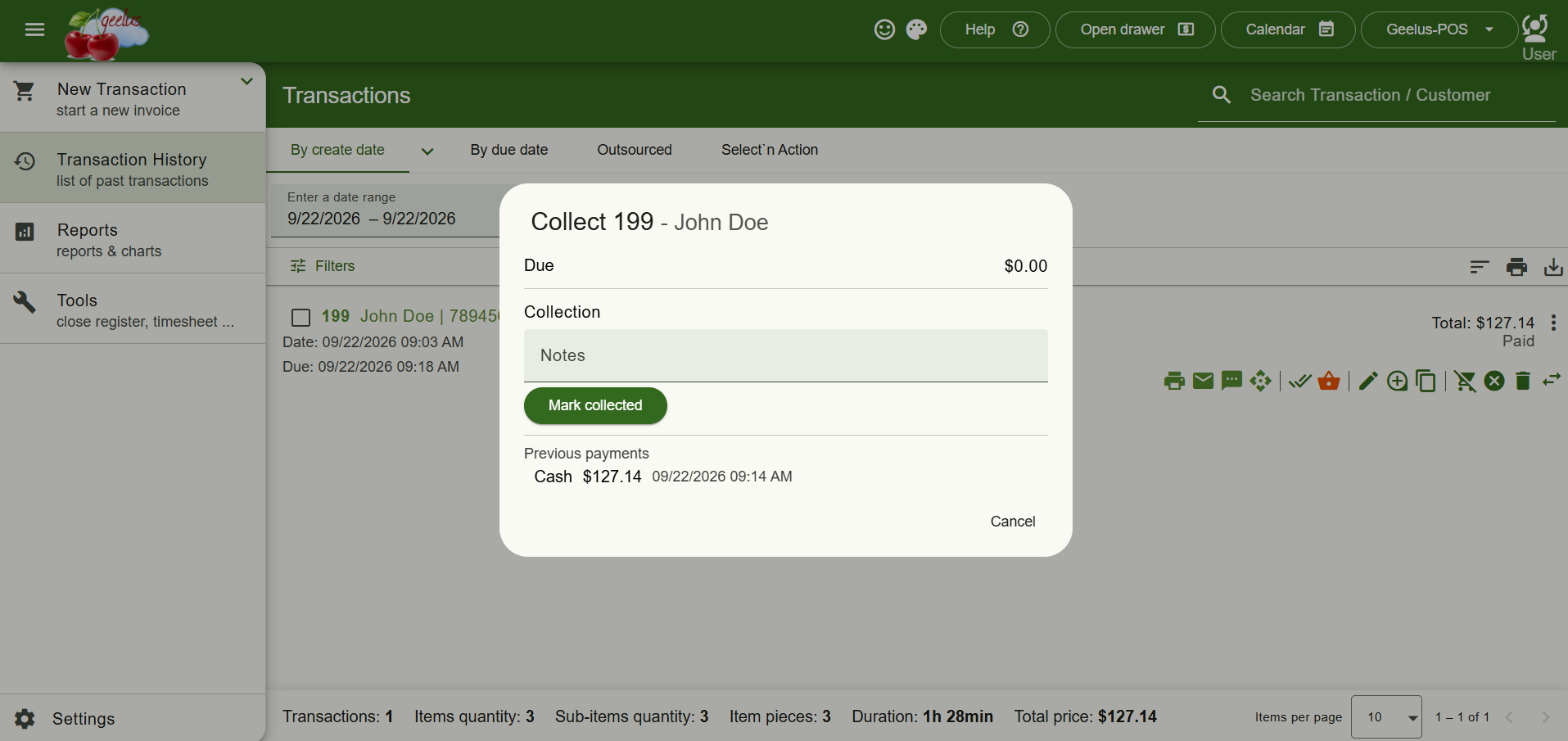
“Mark all collected” now uses the same streamlined window. When money is still owed, enter your collection notes and either choose a payment — marking the items collected and paid in one step — or select “Mark collected only – pay later” to hand items over and leave the balance on account. When nothing is owed, it’s simply the notes and a Mark Collected button.
Payments Listed Before You Finish
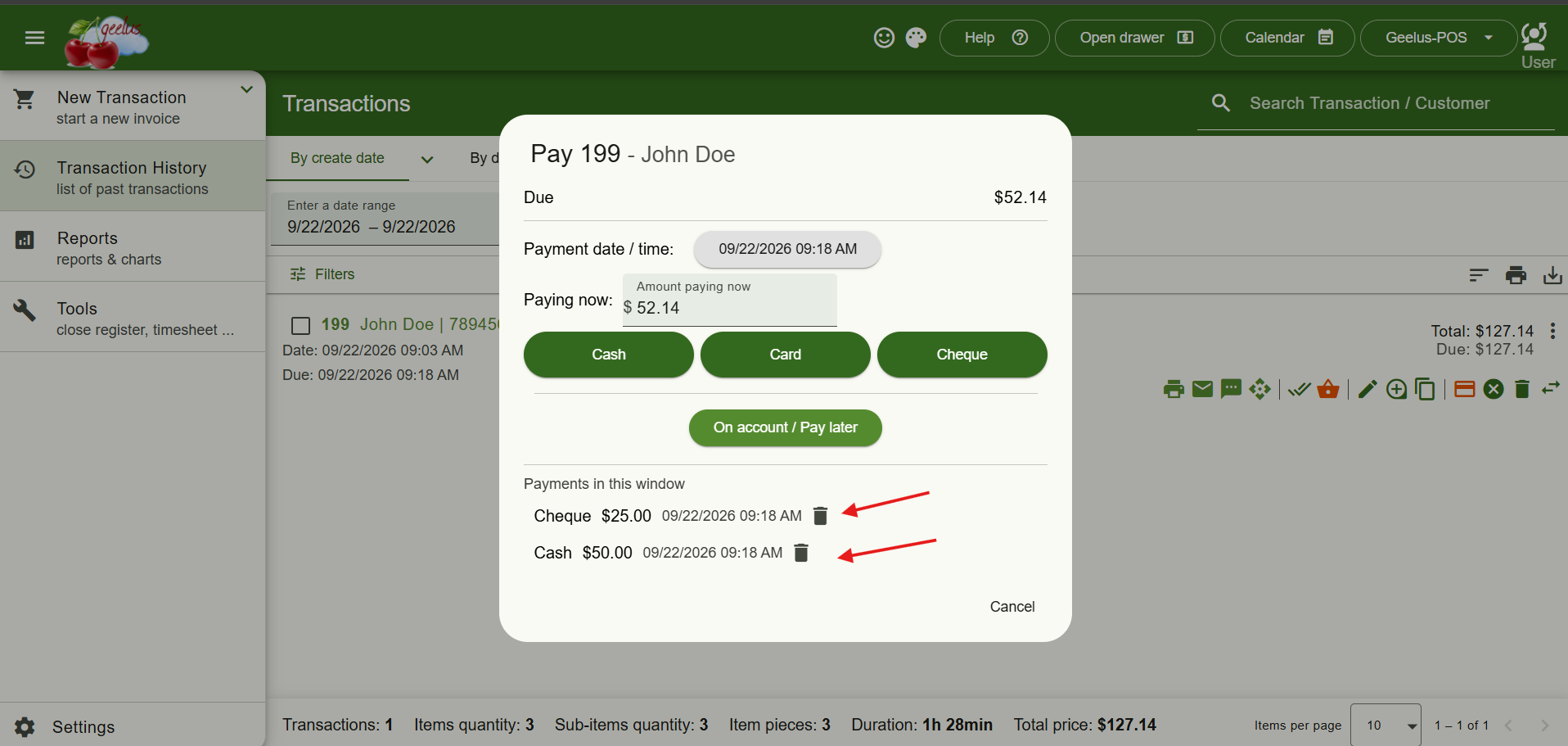
Payments taken in the window are listed alongside any earlier payments on the transaction before you finish, so you can remove a cash, store-credit or points payment added by mistake before saving.
Automated actions tied to the payment are also shown after it’s saved, ready to run when you press Finish — exactly as on the full payment page. Untick any you don’t want; enforced actions stay on.
New Role Permission: “Can Mark Transaction Paid”
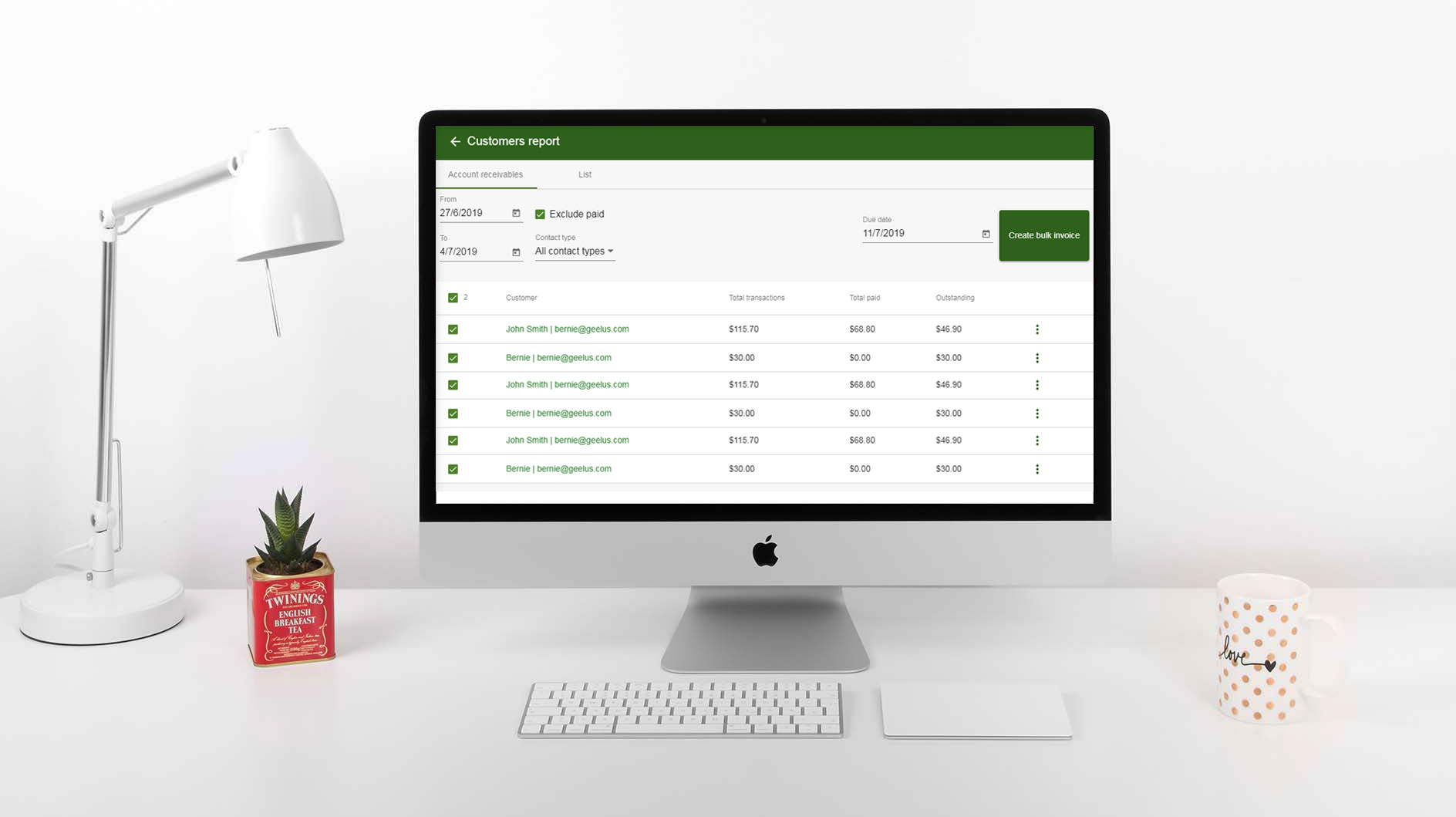
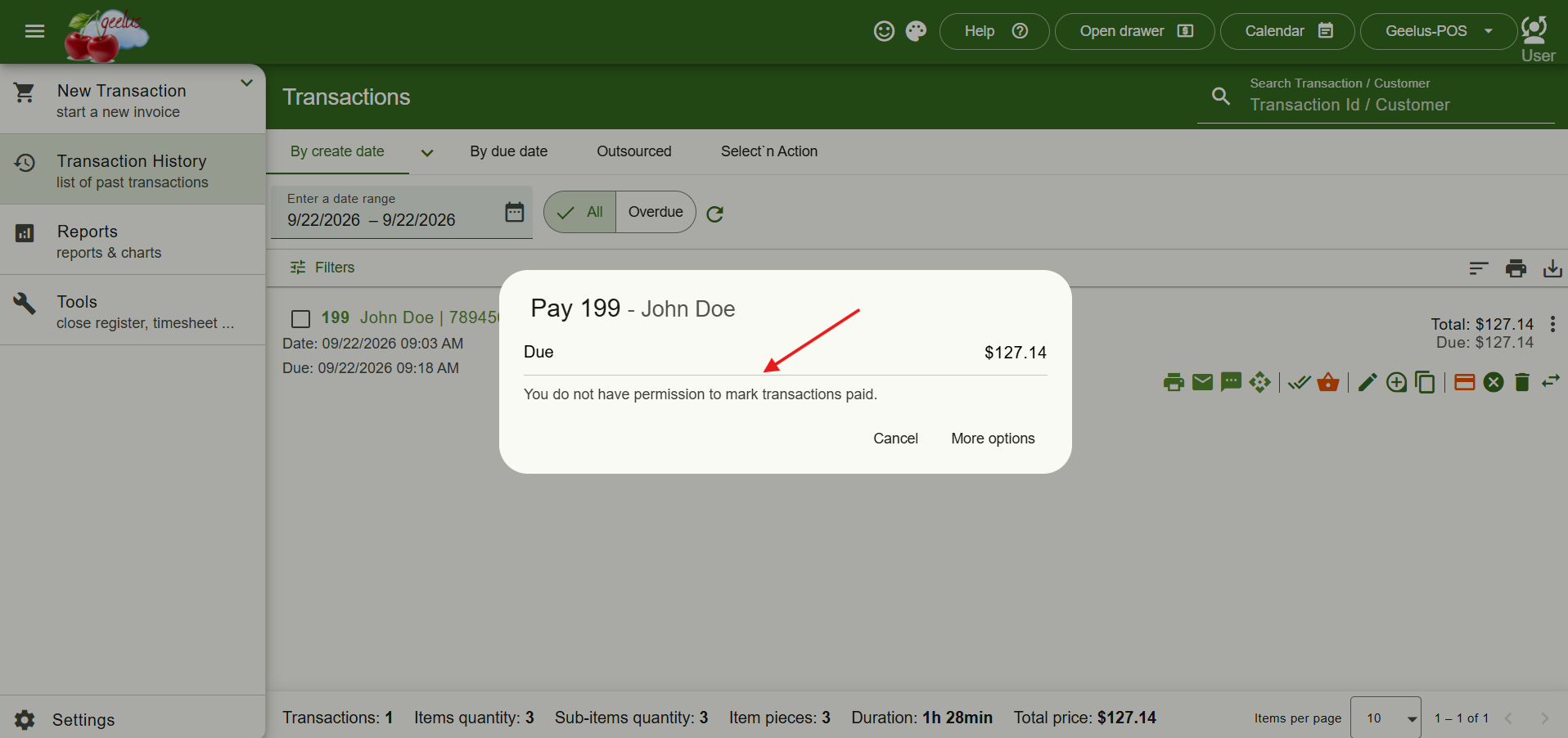
A new role permission, “Can mark transaction paid” (on for every role by default), now controls who can take payments from the list, in multi-select, in Select’n Action, and on bulk invoices. Can be adjusted under Settings -> Roles.
Refund on Void for Card Payments
Voiding a transaction paid by card through Geelus Pay now offers to refund the card first, or to void only. Any in-store credit or loyalty points used or earned on the voided sale are returned to the customer automatically — no manual cleanup required.
Loyalty Points & In-Store Credit History Tabs
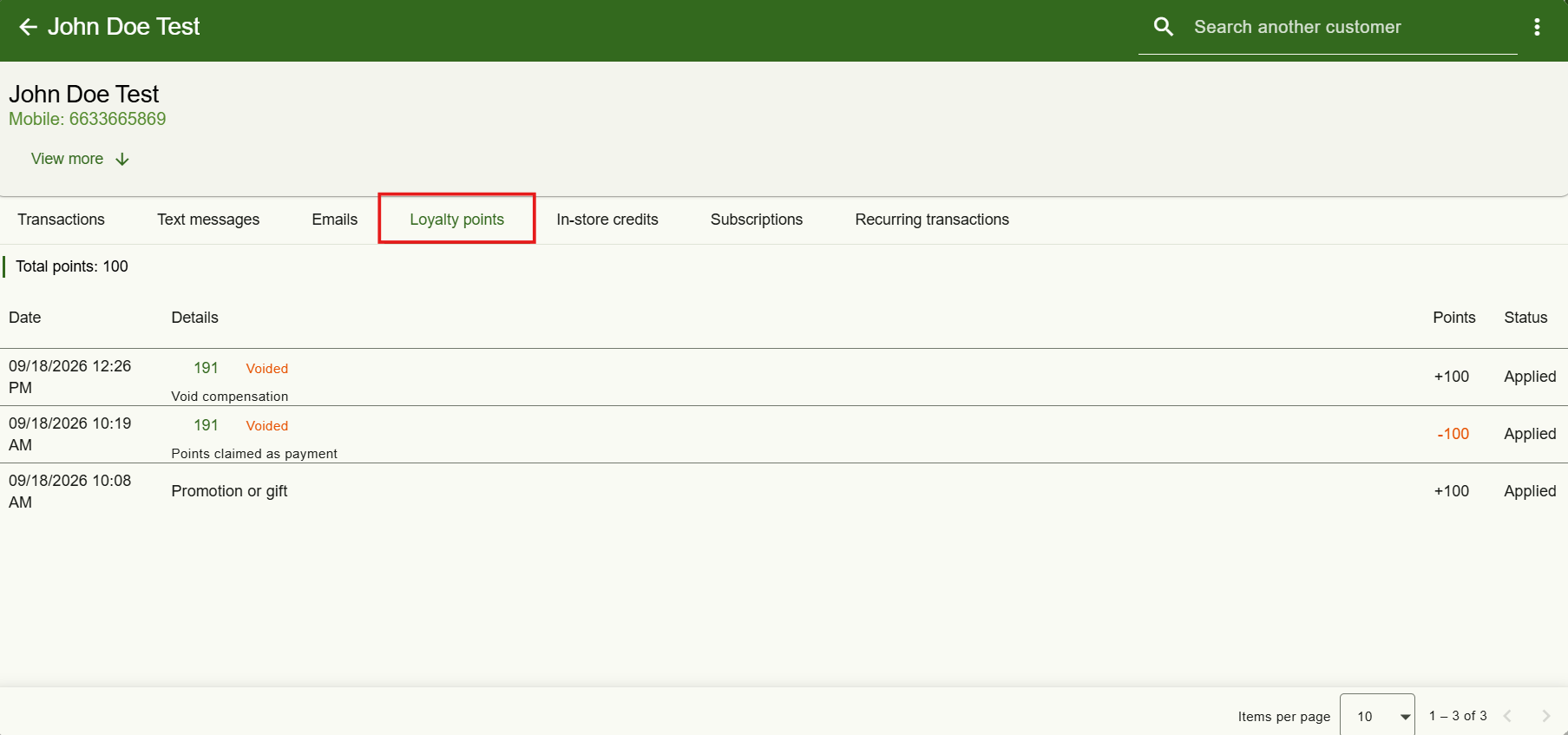
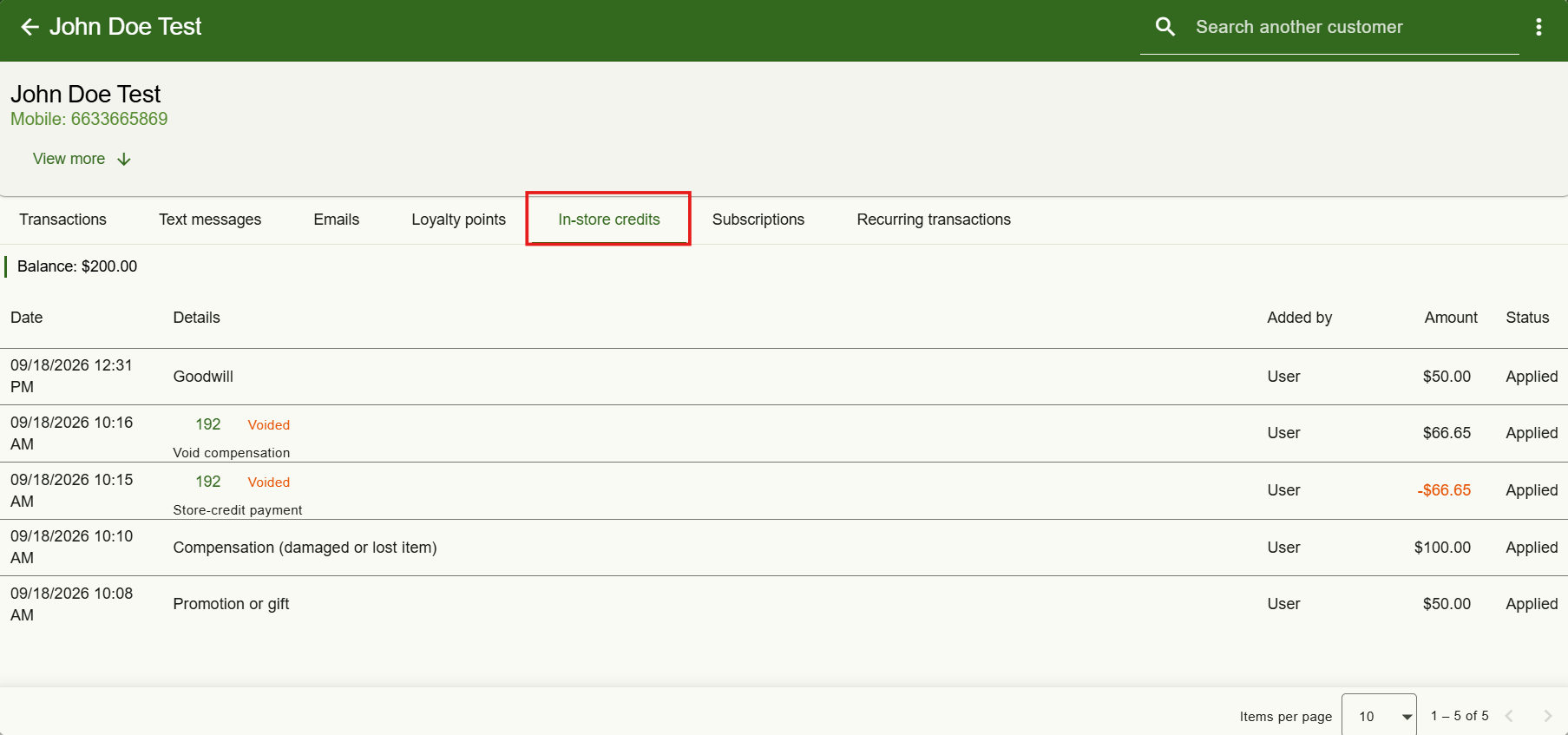
Two new tabs on the customer page — Loyalty Points and In-Store Credits — give you a full history of every movement: the date, the transaction it came from (click to open it), the amount or points involved, who added it, the reason, and whether it’s been applied to the balance yet. Voided sales are clearly marked.
Reasons Now Recorded for Credit & Balance Changes
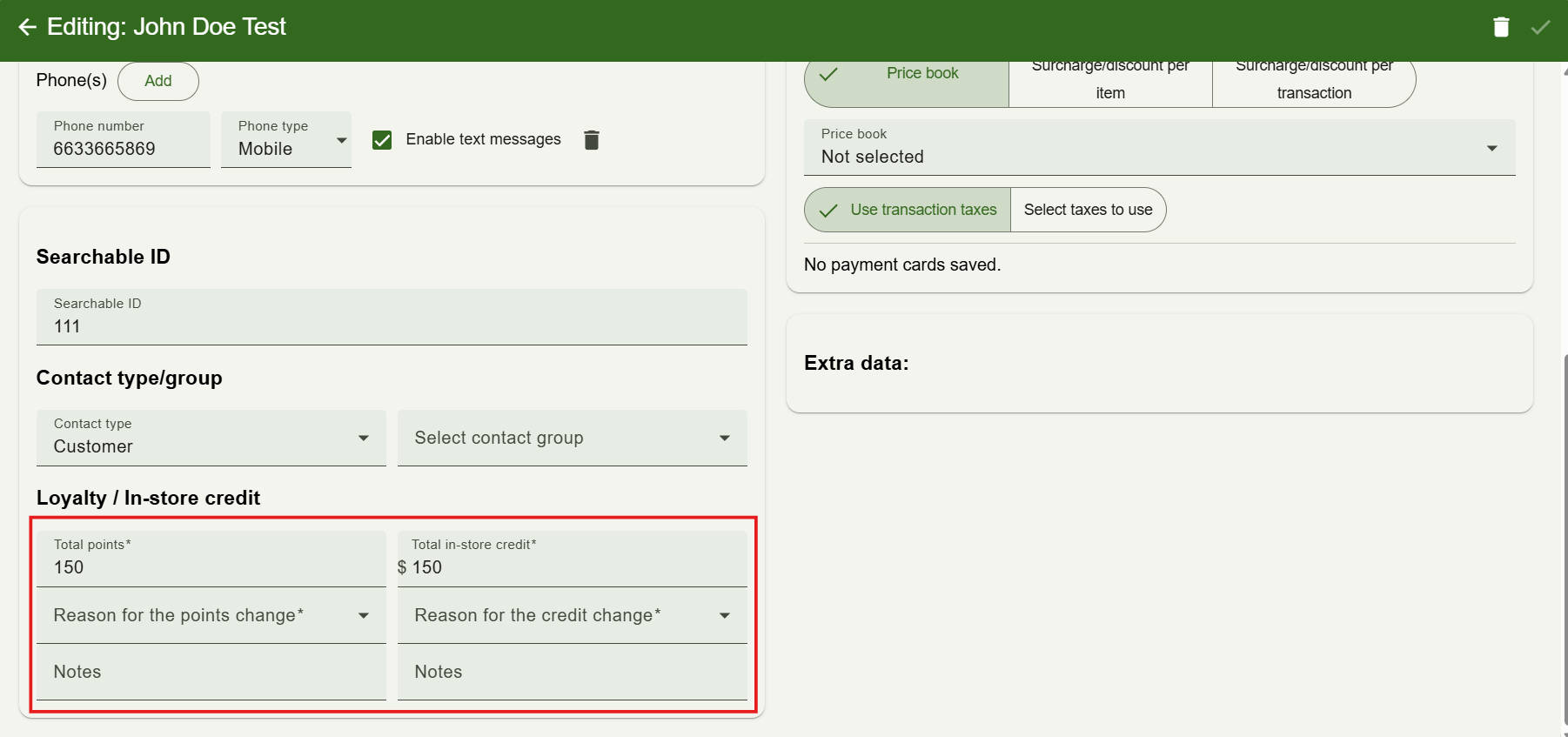
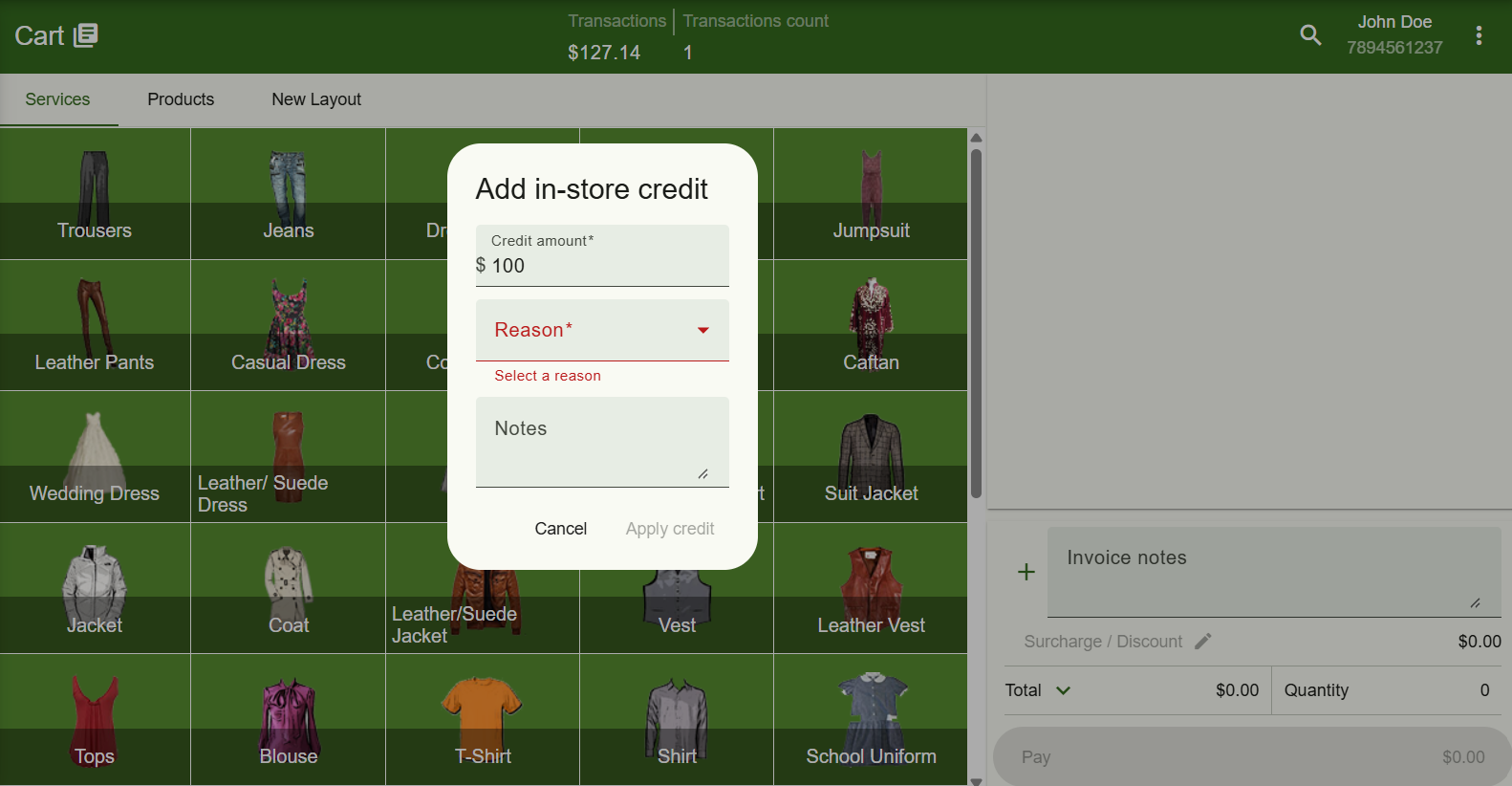
Whenever credit is given or a balance is changed by hand, a reason is now recorded. “Add in-store credit” asks you to select one — Goodwill, Compensation, Refund to store credit, Promotion or gift, Correction, or Other with your own note — and the customer editor does the same when you adjust a balance. Credit and points coming from sales, refunds, voids and imports are noted automatically.
New Tags for Credit and Points Reasons
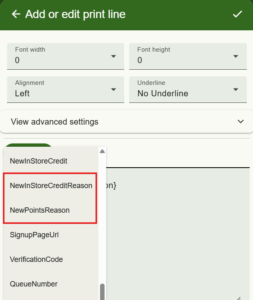
Two new print, email and text message tags, and , let you include that reason on receipts and notifications sent when credit or points are added.
Automated Actions Now Run Reliably
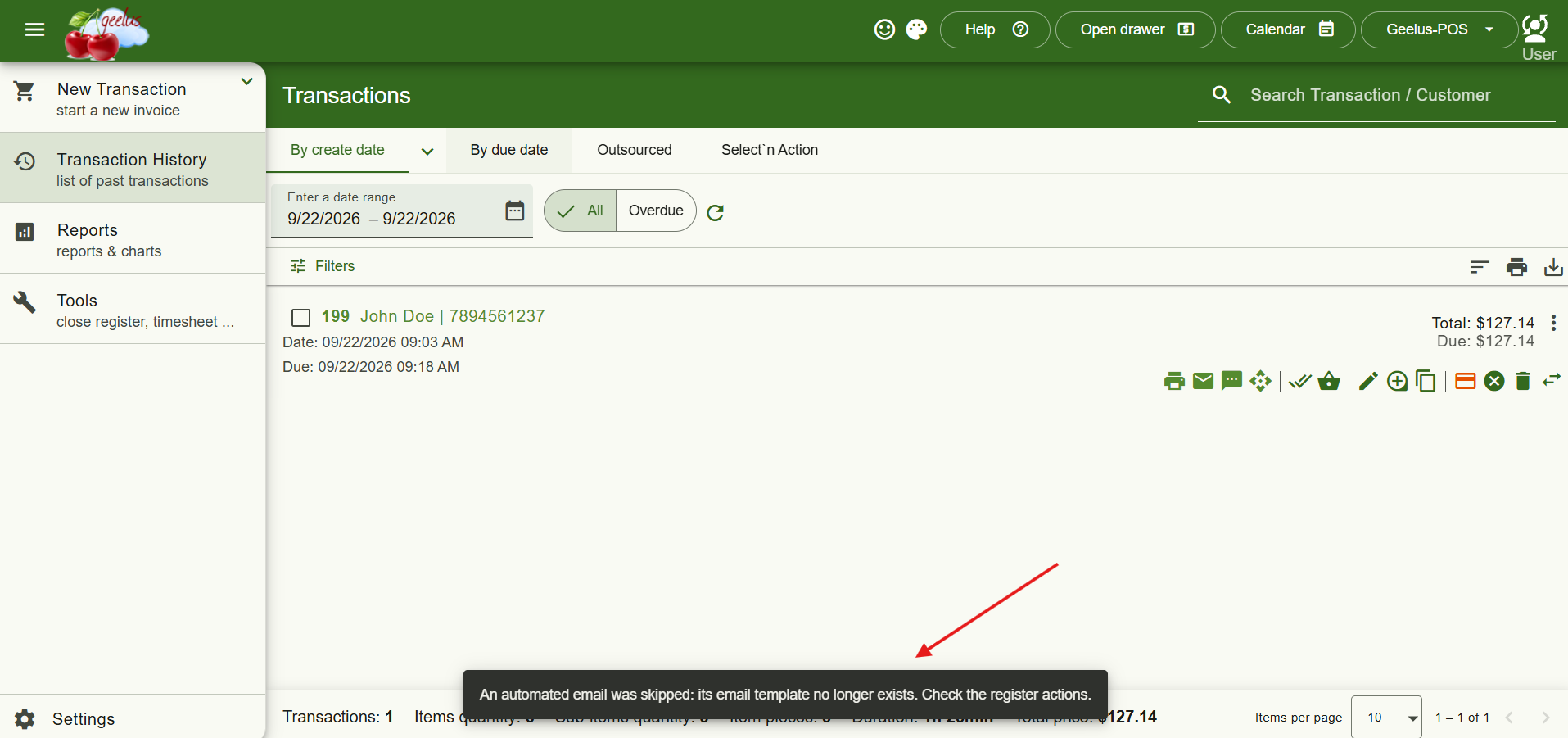
We’ve fixed a handful of issues that could cause automated actions to be skipped or interrupted. Marking several transactions collected at once, or using Select’n Action, now runs the full set of automated actions correctly — even when a transaction still has money owing. Previously, if one action in the sequence didn’t apply to a transaction (say, an action meant only for bookings), every action listed after it would be silently skipped; now the rest of the list runs as expected. And if an automated email or text points to a template that’s since been deleted, the process no longer grinds to a halt — you’ll be told exactly which template is missing so you can fix it and move on.
Balances Calculated from Full History
Store credit and loyalty balances are now calculated from the complete history of movements rather than kept as a single running number. This keeps them consistent across every till — including sales taken offline — and means every balance can be traced and explained from its history tab. Balances update across all tills within a minute of a change.
Faster, More Resilient Customer Imports
Importing customers is now significantly faster and handles files with thousands of records with ease. Opening store-credit and points balances import exactly as given, and duplicate checking within the file no longer slows down large imports. If a batch fails partway through, the import stops and tells you how many customers were successfully imported so you can pick up from there — and any single record the import can’t read is skipped rather than halting the whole file.
Transaction Lists Refresh Instantly
Transaction lists now refresh immediately after a payment, a collection, or a change to an extra field — on every page where they’re shown, so what you see is always current.